Blog

  • Extending HDMI Beyond the Cable Limit: Wireless and Long-Distance Options

    Extending HDMI Beyond the Cable Limit: Wireless and Long-Distance Options

    When a longer HDMI cable is not the answer

    Standard passive HDMI cables are not practical much beyond typical living-room distances. Running a source to a projector on the far side of a house, or to a display in another room entirely, calls for a dedicated extender rather than an ever-longer cable.

    The UNITEK V101A HDMI EXTENDER OVER ETHERNET CABLE UP TO 150M (Rs. 24,000) uses standard Cat5e/6/7 Ethernet cabling to carry an HDMI signal up to 150 meters, supporting 1080p Full HD video with IR pass-through so a remote still works at the far end. It is the longest range in this category, and Ethernet cable is often easier and cheaper to run through walls than HDMI itself.
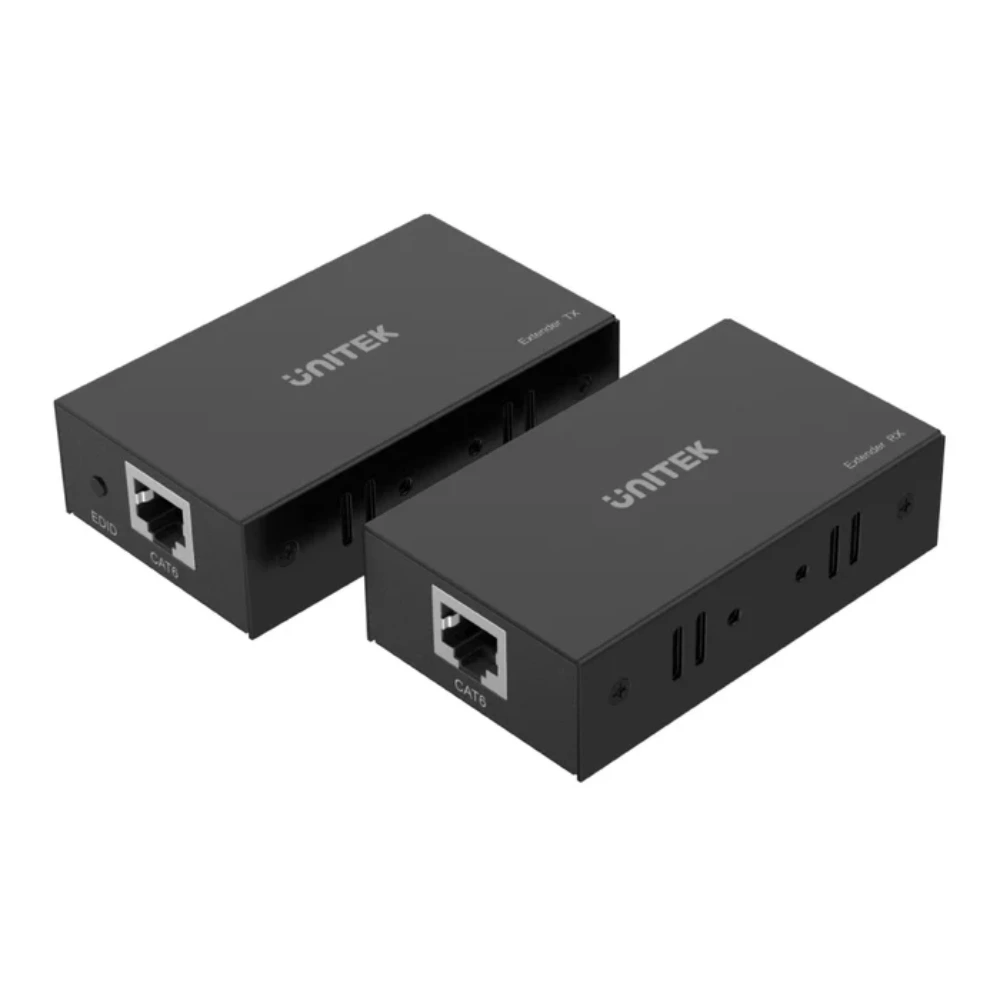
    UNITEK V101A HDMI EXTENDER OVER ETHERNET CABLE UP TO 150M

    Going fully wireless

    If running any new cable is not practical, the UGREEN 50633 HDMI WIRELESS EXTENDER 50M (Rs. 45,120) transmits over 5GHz wireless up to 50 meters, supporting 1080p Full HD with both Mirror and Extend operation modes.

    The UGREEN 50633A WIRELESS HDMI EXTENDER TX AND RX 50M (Rs. 45,120, down from Rs. 48,000) covers the same 50-meter line-of-sight range on 5GHz with dual external antennas for stability, but its receiver adds both HDMI and VGA outputs, so it can also feed an older VGA-only projector or display, and it is powered via USB-C.
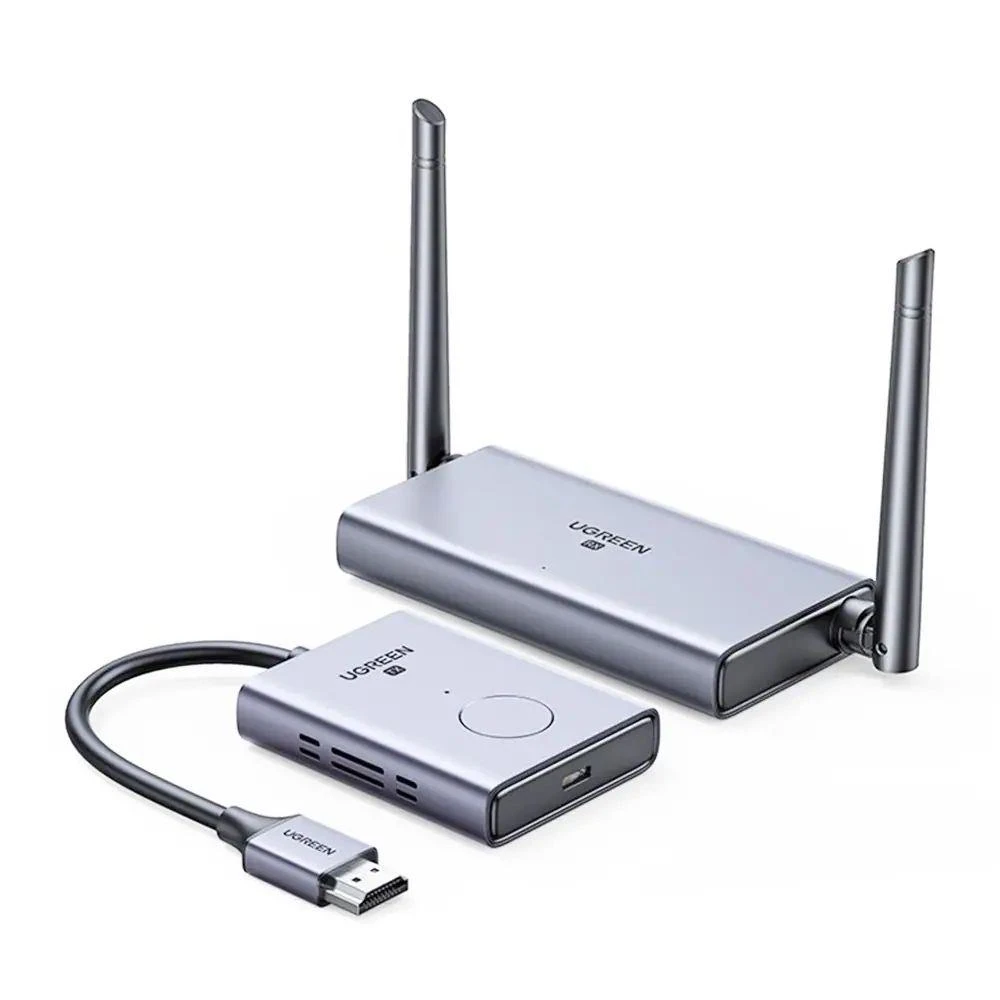
    UGREEN 50633

    For laptop and mobile users

    The UNITEK V1184A01 USB-C WIRELESS HDMI EXTENDER KIT (Rs. 33,016, down from Rs. 35,123) skips the HDMI output on the source side entirely – it transmits wirelessly from a USB-C port on a laptop, tablet or smartphone, up to 50 meters, to an HDMI receiver, supporting 1080p HD video.

    Matching the extender to the job

    • Need the longest possible range and do not mind running a cable? The UNITEK V101A’s 150m over Ethernet beats the wireless options’ 50m.
    • Need zero new cabling at all? Choose a 5GHz wireless extender such as the UGREEN 50633 or UGREEN 50633A.
    • Working from a USB-C laptop with no HDMI port? The UNITEK V1184A01 connects directly from USB-C.

    It is worth noting that every extender in this category tops out at 1080p Full HD rather than 4K, whether it runs over Ethernet or wirelessly – the trade-off for reliably carrying a signal across dozens of meters is a lower resolution ceiling than a short, direct HDMI cable run would give you. If your priority is maximum resolution over a short distance, a splitter or switch from elsewhere in the range is a better fit than an extender; if your priority is covering long distances at all, these four extenders are the dedicated tools for that job.

    Frequently Asked Questions

    What is the maximum distance I can extend an HDMI signal in this range?

    The UNITEK V101A HDMI Extender Over Ethernet Cable (Rs. 24,000) reaches up to 150 meters using Cat5e/6/7 cabling, the longest option here. The wireless extenders top out at 50 meters.

    Do wireless HDMI extenders support 4K?

    No. The wireless extenders in this range – the UGREEN 50633, UGREEN 50633A and UNITEK V1184A01 – are rated for 1080p Full HD, not 4K.

    Can I connect a laptop without an HDMI port wirelessly?

    Yes. The UNITEK V1184A01 USB-C Wireless HDMI Extender Kit (Rs. 33,016) transmits directly from a USB-C port up to 50 meters to an HDMI receiver.

    What if my second display only has a VGA input?

    The UGREEN 50633A Wireless HDMI Extender TX and RX (Rs. 45,120) includes both HDMI and VGA outputs on its receiver, so it can feed a VGA-only projector or monitor.
  • HDMI KVM Switches Explained: Share One Monitor, Keyboard and Mouse Between Two Computers

    HDMI KVM Switches Explained: Share One Monitor, Keyboard and Mouse Between Two Computers

    What a KVM switch does differently

    KVM stands for keyboard, video and mouse. Unlike a plain HDMI switch, which only handles the video signal, a KVM switch also shares your keyboard and mouse – and often other USB peripherals – between two computers, so switching feels like sitting down at a different machine rather than unplugging cables.

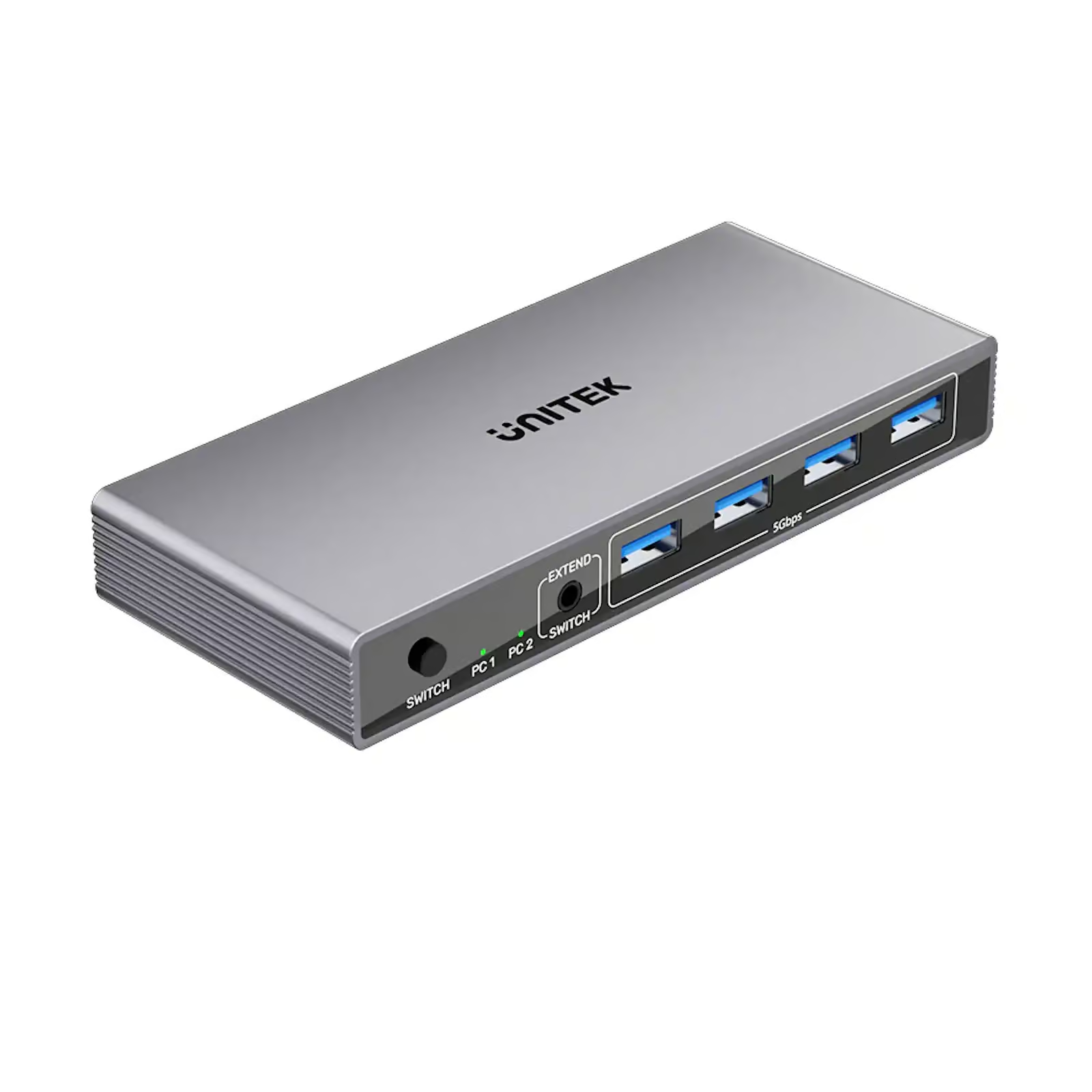
    The Unitek V1309AGY01 5Gbps HDMI KVM Switch (Rs. 16,500) lets you control two computers with a single monitor, keyboard and mouse, and includes four USB 3.0 ports for sharing peripherals like printers or flash drives at up to 5Gbps transfer speed. Video output supports up to 4K@60Hz with HDR and HDCP 2.3, and it works across Windows, macOS and Linux.

    Unitek V1309AGY01 5Gbps HDMI KVM Switch

    The UNITEK V1309AGY01-EU HDMI KVM SWITCH BETWEEN 2 DEVICES SHARE 1-HDMI 4K@60HZ (Rs. 16,500) is the EU-plug equivalent, offering the same two-computer, one-monitor/keyboard/mouse control with plug-and-play setup and no drivers required.

    For dual-monitor, multi-device workstations

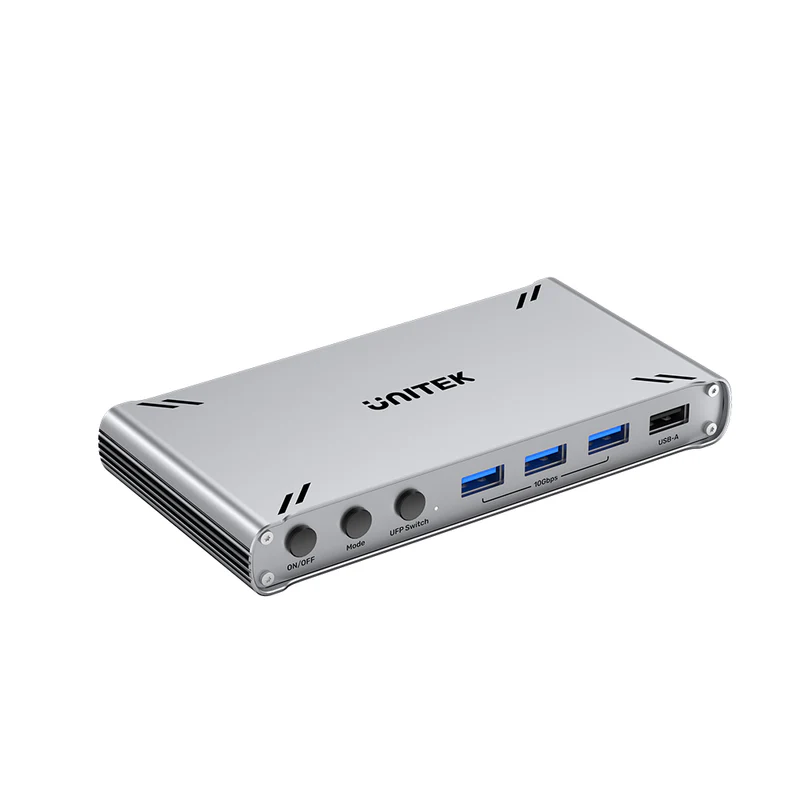
    Power users running two monitors across multiple computers should look at the UNITEK D1118AGY01-EU USB-C 10GBPS HDMI SPLIT-SCREEN KVM SWITCH (Rs. 38,427). It ships as a pack of two units, supports HDMI split-screen so two PCs can share one monitor, offers 10Gbps USB-C data transfer, and each switch supports five USB-A devices, with a maximum resolution of 4K.

    UNITEK D1118AGY01-EU USB-C 10GBPS HDMI SPLIT-SCREEN KVM SWITCH 2PCS SHARE 1 MONITOR And 5 USB-A DEVICES

    Who actually needs one

    • Developers or IT staff switching between a work laptop and a personal PC on the same desk.
    • Editors running separate machines for editing versus streaming or rendering.
    • Anyone who wants to avoid buying a second monitor, keyboard and mouse just for a secondary computer.

    Setting expectations before you buy

    All three KVM switches here are described as plug-and-play with no drivers required, so the setup itself is simple: connect each computer’s HDMI and USB output to the switch, connect the shared monitor, keyboard and mouse to the switch’s output side, and use the button or shortcut to flip between machines. The main decision is really about scale – a single Unitek V1309AGY01 (Rs. 16,500) covers a simple two-PC, one-monitor desk, while the UNITEK D1118AGY01-EU (Rs. 38,427) pack of two units and 10Gbps USB-C transfer speed is built for a more demanding dual-monitor, multi-device workstation.

    It is also worth confirming your computers’ outputs match what the switch expects: the D1118AGY01-EU is built around USB-C and HDMI connectors, while the standard V1309AGY01 models are HDMI-based with USB 3.0 peripheral sharing, so check your PCs’ available ports before choosing between them.

    Frequently Asked Questions

    What is the difference between a KVM switch and a regular HDMI switch?

    A regular HDMI switch only shares the video signal, while a KVM switch also shares your keyboard and mouse, and often USB devices, between computers, so both machines feel like they are plugged directly into your desk peripherals.

    How many computers can a KVM switch handle?

    The Unitek V1309AGY01 (Rs. 16,500) and its EU variant both handle two computers to one monitor, keyboard and mouse. The UNITEK D1118AGY01-EU (Rs. 38,427) ships as two units for more flexible dual-PC, dual-monitor setups.

    What resolution do these KVM switches support?

    Both Unitek V1309AGY01 models support up to 4K@60Hz with HDR and HDCP 2.3. The D1118AGY01-EU supports up to 4K as well.

    Can I share USB peripherals besides keyboard and mouse?

    Yes. The Unitek V1309AGY01 includes four USB 3.0 ports at up to 5Gbps for devices like printers or flash drives, and the D1118AGY01-EU supports five USB-A devices per switch at 10Gbps.

  • Troubleshooting Common HDMI Splitter Problems: No Signal, HDCP Errors and Resolution Drops

    Troubleshooting Common HDMI Splitter Problems: No Signal, HDCP Errors and Resolution Drops

    Why splitters sometimes “downgrade” your picture

    Every display communicates its supported resolutions back to the source through a handshake known as EDID. When several different displays are connected to one splitter, mismatched EDID information can cause the source to default to the lowest common resolution, or to fail to output a picture at all. This is one of the most common reasons a splitter seems to be misbehaving even though nothing is physically wrong with it.

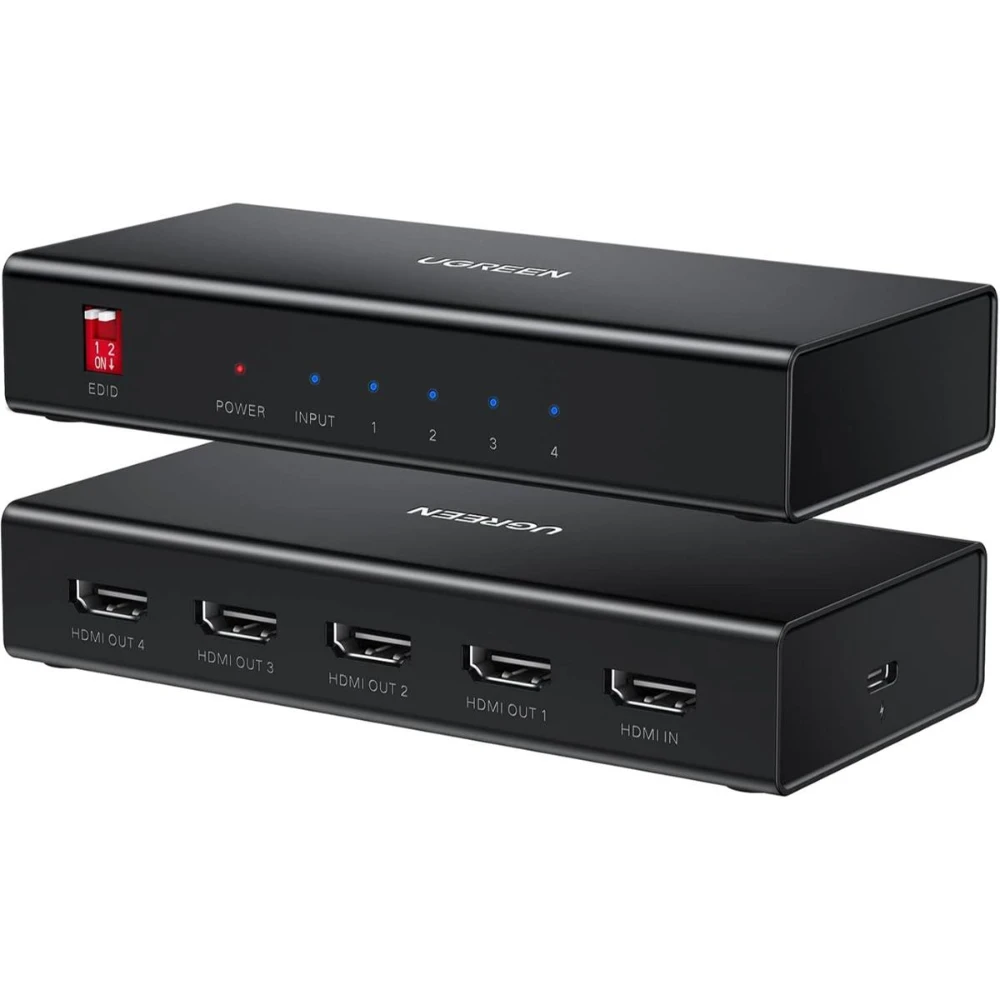
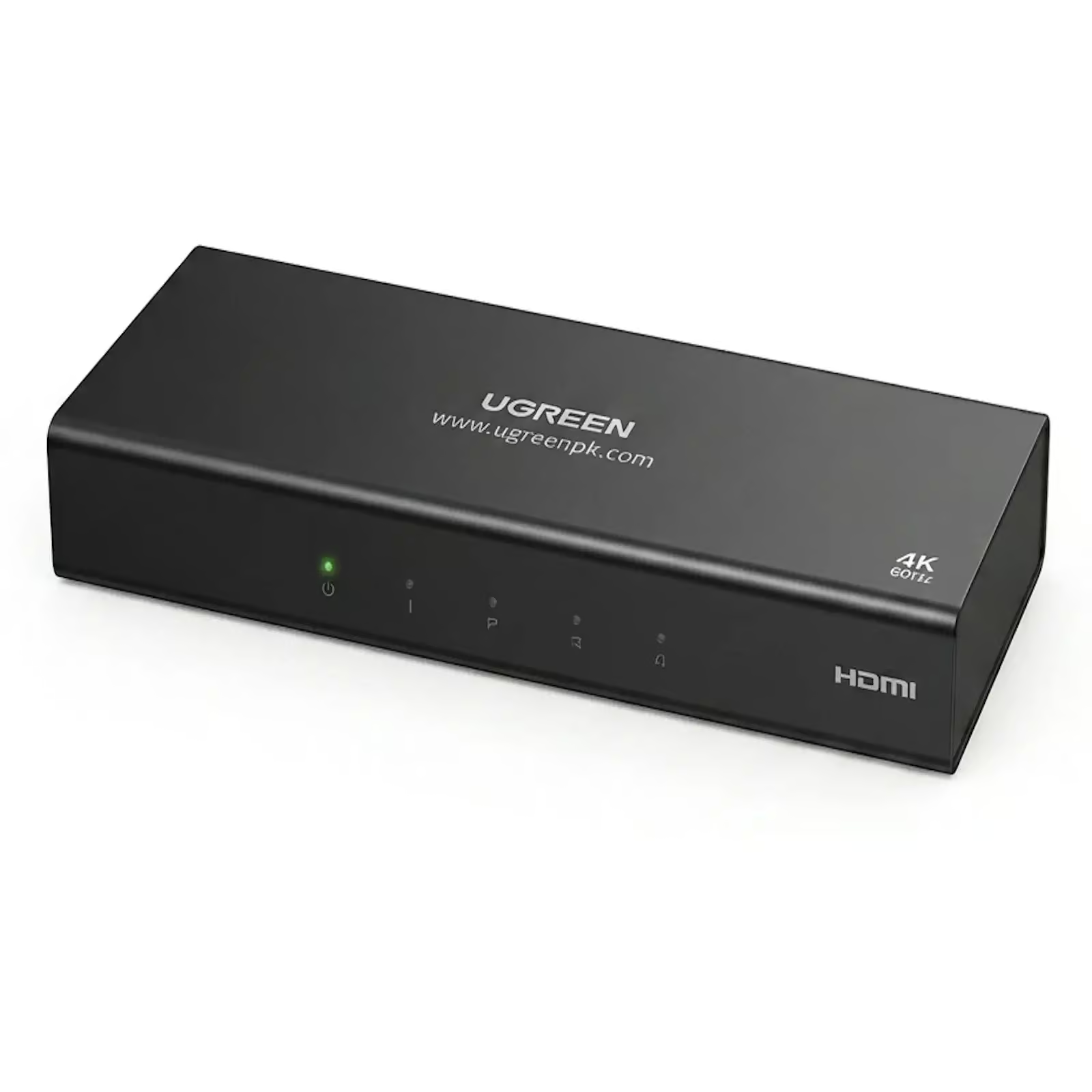
    This is exactly what EDID management is built to address. The UGREEN 90514 4K@60Hz HDMI SPLITTER 1 IN 4 OUT WITH EDID (Rs. 12,000) is equipped with EDID management for optimal display compatibility, helping it negotiate a consistent signal across four displays at up to 4K@60Hz, and it is plug-and-play with no drivers required.

    UGREEN-90514

    Similarly, the UGREEN 90805 1-IN-4 OUT HDMI SPLITTER 4K@30HZ (Rs. 8,930) combines EDID management with signal amplification, which also helps with a second common issue: a weak or degraded picture over longer cable runs.

    When the issue is distance, not the splitter

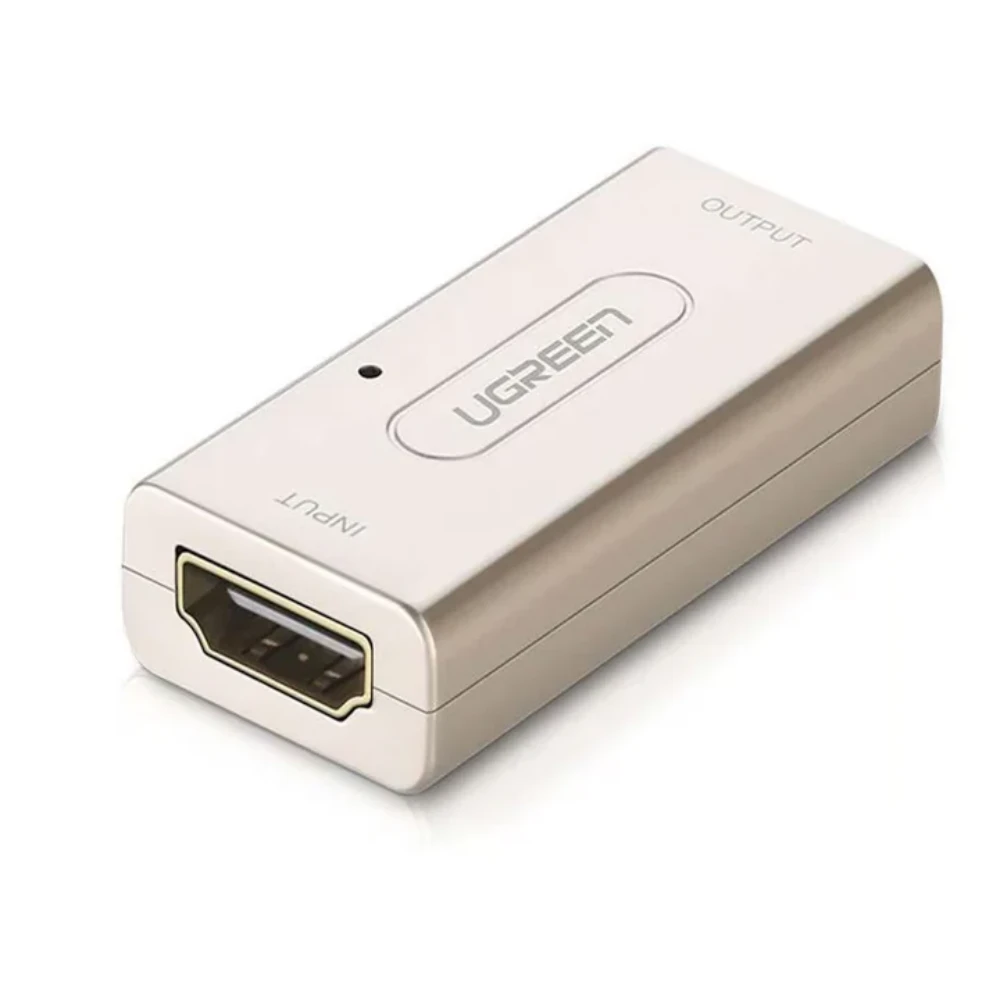
    If the picture looks fine close to the source but drops out or flickers further down the line, a repeater or booster can help rather than replacing the splitter itself. The UGREEN 40265 HDMI FEMALE TO FEMALE REPEATER EXTENDER ADAPTER (Rs. 5,790) is an active signal booster designed to extend HDMI signals over longer distances without losing video or audio quality, supporting up to 1080P Full HD.

    UGREEN 40265

    A quick checklist before assuming the splitter is faulty

    • Confirm the splitter is actually powered if it requires an external supply – amplified units need a dedicated power connection, and a missing one is a very common cause of “no signal.”
    • Check that all connected displays support a similar resolution and HDCP version, since a mismatched display can trigger a fallback to the lowest common setting.
    • Try an EDID-managed splitter, such as the UGREEN 90514 or UGREEN 90805, if you are mixing different display types or ages.
    • Add a repeater or booster, such as the UGREEN 40265, if the problem only appears on longer cable runs.
    • Verify HDCP compliance on both source and display – most splitters here list HDCP 2.2/1.4 support, but older AV equipment without HDCP support can still show a blank screen with protected content.

    Frequently Asked Questions

    Why does my splitter output a lower resolution than my source?

    This is usually an EDID mismatch between the connected displays. Splitters with EDID management, like the UGREEN 90514 (Rs. 12,000) or UGREEN 90805 (Rs. 8,930), are built to negotiate a consistent resolution across all outputs instead of falling back to the lowest common setting.

    My picture flickers or drops out over a long cable – is the splitter broken?

    Not necessarily. This is often signal degradation over distance, which an active repeater like the UGREEN 40265 HDMI Female to Female Repeater (Rs. 5,790) is designed to correct.

    Does my splitter need a power adapter?

    It depends on the model. Amplified, multi-output splitters typically use a dedicated power supply, while compact 1-in-2 or 1-in-4 units are often plug-and-play with no external power needed.

    Can HDCP cause a blank screen?

    Yes. HDCP is a copy-protection handshake required by many streaming and Blu-ray sources. Most splitters in this range support HDCP 2.2/1.4, but pairing with older, non-compliant equipment can still result in no picture.

  • HDMI Splitters and Switches for Offices, Classrooms and Digital Signage

    HDMI Splitters and Switches for Offices, Classrooms and Digital Signage

    One presentation, many screens

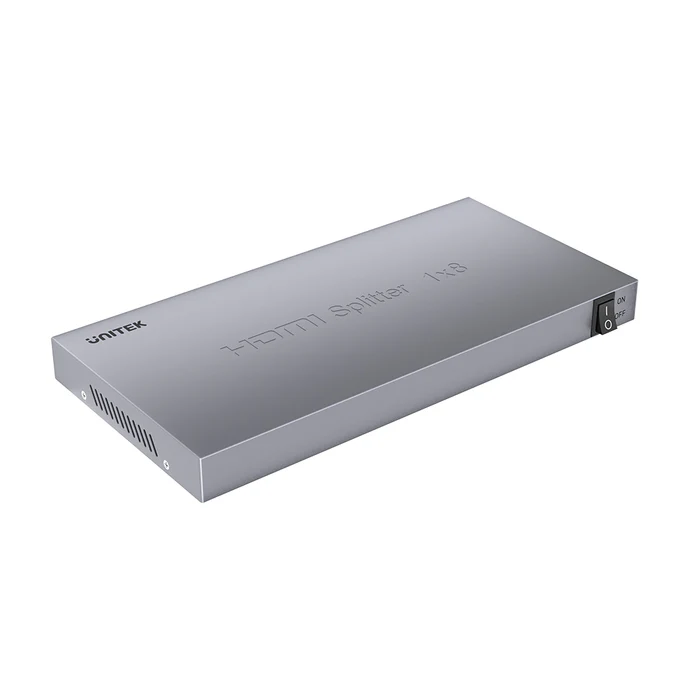
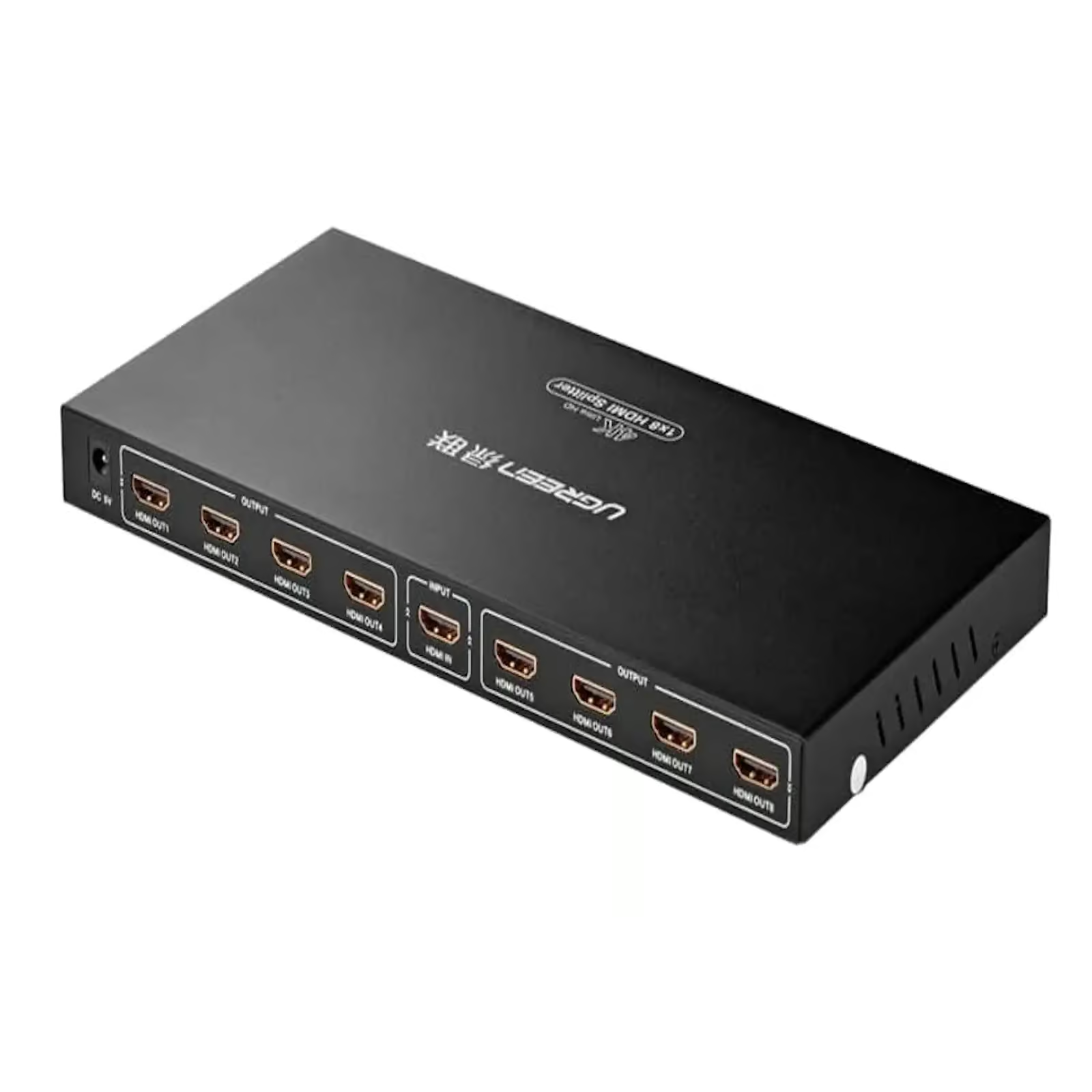
    Institutional setups usually need to push one source across far more screens than a household does, and do it reliably, day after day, with minimal configuration. The UNITEK V1132A01-EU HDMI SPLITTER 1 IN 8 OUT 4K@30HZ (Rs. 24,741) is built for exactly this: distributing a single HDMI source to up to eight displays simultaneously, aimed at classrooms, offices, retail displays, presentations and digital signage. It supports 4K@30Hz and is plug-and-play, with no configuration required.

    UNITEK V1132A01-EU HDMI SPLITTER 1 IN 8 OUT 4K@30HZ

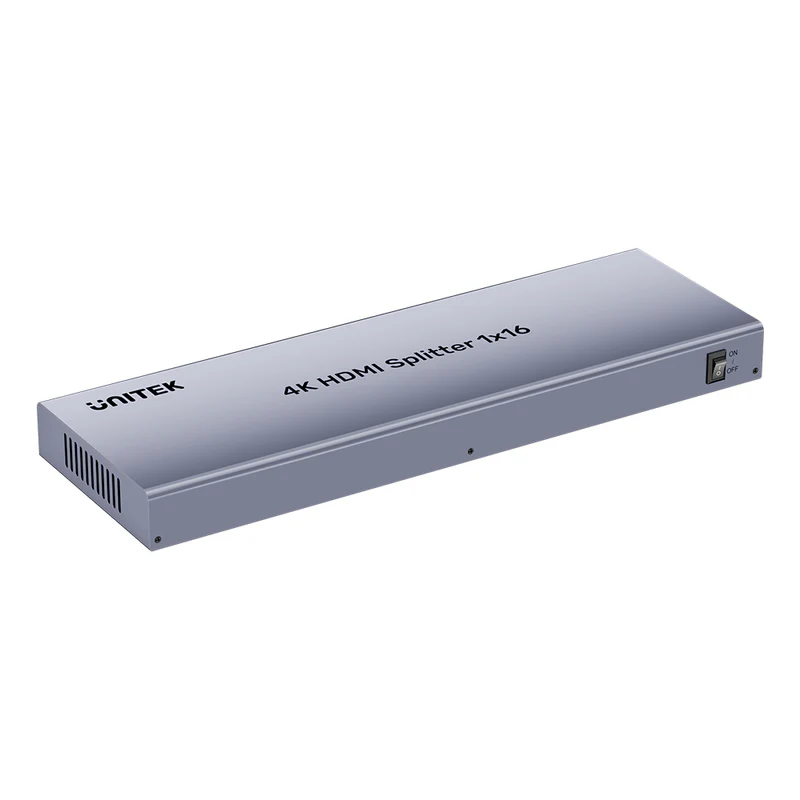
    For larger installations – a training center with several rooms, or a bank of retail signage screens – the UNITEK V1137AGY01-EU HDMI SPLITTER 1 IN 16 OUT 4K@30HZ (Rs. 34,216) scales to sixteen simultaneous displays at 4K@30Hz, aimed at large-scale installations such as digital signage and control rooms, with gold-plated connectors for a more reliable long-term connection.

    UNITEK V1137AGY01-EU HDMI SPLITTER 1 IN 16 OUT 4K@30HZ

    Smaller meeting rooms and shared workstations

    A single conference room rarely needs eight or sixteen outputs. The UGREEN 40234 3-PORT 3X1 HDMI SWITCH (Rs. 6,948) is described as suited to “home theaters, gaming setups, classrooms, and conference rooms,” letting a presenter switch between a laptop, a media player or a second laptop on one projector with a manual button.

    For rooms that need to route more than one source to more than one display – say a projector and a confidence monitor at the front of the room – the UGREEN 40216 4 X 2 HDMI MATRIX SWITCH BOX (Rs. 24,214) can route any of four HDMI sources to two displays, rather than being locked into one-in, many-out.

    Practical notes for institutional deployments

    • Most of these units are plug-and-play, so they generally do not need IT configuration once cabled up.
    • Resolution on multi-output splitters here is capped at 4K@30Hz, which is adequate for slides and signage but worth knowing before you buy for anything with fast motion.
    • Gold-plated connectors, as on the UNITEK V1137AGY01-EU, help with long-term reliability on equipment that stays plugged in for years without being unplugged.

    Budget also scales predictably with output count in this range: the eight-output UNITEK V1132A01-EU sits at Rs. 24,741, while doubling the output count to sixteen with the UNITEK V1137AGY01-EU brings the price to Rs. 34,216. Matching the splitter’s output count to your actual number of screens – rather than buying extra headroom you will not use – is usually the more cost-effective approach for a fixed installation.

    Frequently Asked Questions

    How many screens can one splitter drive in a large installation?

    The UNITEK V1137AGY01-EU splits one input to sixteen outputs (Rs. 34,216), while the smaller UNITEK V1132A01-EU covers one-in-eight-out (Rs. 24,741) for more modest needs.

    What resolution should I expect for signage or classroom use?

    Both the 1-in-8 and 1-in-16 UNITEK splitters top out at 4K@30Hz, which suits static or moderate-motion presentation content like slides and signage.

    Can a single room switch between several laptops on one projector?

    Yes – the UGREEN 40234 3-Port 3×1 HDMI Switch (Rs. 6,948) is described as suited to conference rooms and classrooms, letting you flip between up to three sources with a manual button.

    What if a room needs multiple sources routed to multiple screens, not just one source to many?

    The UGREEN 40216 4×2 HDMI Matrix Switch Box (Rs. 24,214) routes any of four HDMI inputs to two outputs, useful when a room has more than one source and more than one display to manage.

  • Home Theater HDMI Setup Guide: Sending One Source to Multiple Screens

    Home Theater HDMI Setup Guide: Sending One Source to Multiple Screens

    Why home theaters need more than a basic splitter

    A single splitter feeding two TVs is easy. Feeding a projector plus TVs in several rooms from one source, over longer cable runs, is a different problem – one that calls for an amplified splitter designed to keep the signal strong across every output.

    The UGREEN 40203 1X8 HDMI AMPLIFIER SPLITTER 4K BLACK (Rs. 26,109) distributes a single HDMI source to up to eight displays at once, supporting 4K Ultra HD and 1080p@60Hz with 12-bit color. Its signal distance is rated up to 50 feet (15m) per output, and it runs on a 12V power supply to keep that signal amplified over longer cable runs, with an operating temperature range of 0°C to 48°C.

    UGREEN 40203 1X8 HDMI AMPLIFIER SPLITTER 4K BLACK

    For a two-source, two-room build, the UGREEN 70690 2-IN 4-OUT HDMI SWITCH SPLITTER WITH REMOTE (Rs. 14,002) is worth a look: two HDMI sources, such as a Blu-ray player and a streaming box, can feed four displays, and it adds optical SPDIF output supporting 5.1/7.1, Dolby Digital and DTS, plus a 3.5mm jack for a separate sound system – all controllable via infrared remote or the switch button.

    UGREEN 70690 2-IN 4-OUT HDMI SWITCH SPLITTER WITH REMOTE

    If you only need to duplicate one source into two rooms, the compact UGREEN 90513 HDMI SPLITTER 1 IN 2 OUT4K60Hz (Rs. 6,450), with HDMI CEC support and the ability to cascade up to 8 displays, is a cheaper starting point before scaling up to a full amplifier splitter.

    Things to plan for before you buy

    • Power requirements: amplified splitters like the UGREEN 40203 need a 12V supply, unlike some compact plug-and-play units.
    • Cable run distances: the UGREEN 40203 lists a signal distance of up to 50 feet (15m) per output, which matters when a display is in a separate room.
    • Audio path: if you need a dedicated home theater sound system rather than the TV’s built-in speakers, the UGREEN 70690’s optical SPDIF output can feed a receiver directly.
    • Operating environment: the UGREEN 40203’s 0°C to 48°C operating range is worth noting if the unit lives inside a closed media cabinet.

    A sensible way to plan a multi-room build is to start with the smallest device that covers your current need – the two-output UGREEN 90513 or the four-output UGREEN 70690 – and only move up to the eight-output UGREEN 40203 once you know you actually need that many simultaneous displays. Buying more outputs than you use just adds unused ports and unnecessary cost.

    Frequently Asked Questions

    Can one HDMI source feed my whole home theater plus a bedroom TV?

    Yes. An amplifier splitter such as the UGREEN 40203 1×8 (Rs. 26,109) is designed to send one source to as many as eight separate displays simultaneously.

    Do I need separate audio wiring for a home theater sound system?

    The UGREEN 70690 2-in-4-out switch splitter (Rs. 14,002) includes an optical SPDIF output supporting 5.1/7.1 Dolby Digital and DTS, plus a 3.5mm jack, so you can feed a receiver or soundbar without disturbing the video connections.

    How far can I run cable from the splitter to each screen?

    The UGREEN 40203 lists a signal distance of up to 50 feet (15m) per output.

    Is a power adapter required?

    Amplified, multi-output splitters like the UGREEN 40203 use a 12V power supply, while smaller 1-in-2 units such as the UGREEN 90513 are plug-and-play with no external power needed.

  • 4K@30Hz vs 4K@60Hz vs 8K@60Hz: A Resolution and Refresh Rate Guide for HDMI Splitters

    4K@30Hz vs 4K@60Hz vs 8K@60Hz: A Resolution and Refresh Rate Guide for HDMI Splitters

    Why the Hz number matters as much as the resolution

    Two splitters can both be labelled “4K” and still behave very differently, because the refresh rate – the Hz figure – determines how often the picture updates each second. A higher refresh rate gives smoother motion, which matters more for gaming and fast-moving video than it does for static slides or a signage display.

    Entry-level splitters such as the UGREEN 90805 1-IN-4 OUT HDMI SPLITTER 4K@30HZ (Rs. 8,930) and the UNITEK V1132A01-EU HDMI SPLITTER 1 IN 8 OUT 4K@30HZ (Rs. 24,741) top out at 4K@30Hz – perfectly fine for signage, presentation slides or basic mirroring, but less ideal for fast-motion gaming or live sports.

    Step up to 4K@60Hz with a splitter like the UGREEN 90806 1-IN-4 OUT HDMI SPLITTER 4K@60HZ (Rs. 10,810), built on HDMI 2.0 with 18Gbps of bandwidth, and you get noticeably smoother motion for movies, sports and games across all four connected displays.

    UGREEN 90806 1-IN-4 OUT HDMI SPLITTER 4K@60HZ

    At the very top of this range sits the UNITEK V1163A HDMI BIDIRECTIONAL SWITCH (Rs. 11,054), which runs on HDMI 2.1 and supports up to 8K@60Hz or 4K@120Hz, along with Dynamic HDR and Dolby Vision. It is worth noting this is a 2-in-1-out / 1-in-2-out switch rather than a multi-output splitter, but it shows how far the resolution and refresh rate ceiling can go in this category.

    UNITEK V1163A HDMI BIDIRECTIONAL SWITCH 2-IN-1 OUT / 1-IN-2 OUT 8K@60HZ

    Bandwidth and HDCP: the fine print

    Bandwidth, measured in Gbps, is what actually carries the resolution and refresh rate down the cable. The UGREEN 90806 and the UGREEN 50966 bidirectional switcher both specify 18Gbps on HDMI 2.0, while the UNITEK V1163A’s HDMI 2.1 connection is built for the higher bandwidth that 8K or 4K@120Hz signals require. It is also worth checking HDCP version support – most splitters in this range list HDCP 2.2/1.4, which protected 4K content from streaming services and Blu-ray players typically requires.

    Matching resolution to your actual displays

    Some splitters list separate input and output resolutions. The UNITEK V1109A 4K HDMI SPLITTER 1 IN 4 OUT (Rs. 10,500) accepts a 4K input but distributes at up to Full HD 1080p on its outputs – a detail worth checking carefully if your source is 4K but you expect a 4K picture on every connected display.

    Frequently Asked Questions

    What is the practical difference between 4K@30Hz and 4K@60Hz?

    Both deliver 4K resolution, but 60Hz refreshes the picture twice as often as 30Hz, giving noticeably smoother motion. This matters for gaming and fast video, and matters far less for static signage or slideshows.

    Which product in this range supports the highest resolution?

    The UNITEK V1163A HDMI Bidirectional Switch (Rs. 11,054) tops the list with 8K@60Hz and 4K@120Hz support over HDMI 2.1.

    Do I need to match bandwidth to my source device?

    Yes. Devices such as the UGREEN 90806 and UGREEN 50966 specify 18Gbps HDMI 2.0 bandwidth, which is sufficient for 4K@60Hz. Higher-bandwidth HDMI 2.1 devices like the UNITEK V1163A are needed for 8K or 4K@120Hz signals.

    What is HDCP and why does it matter?

    HDCP is a copy-protection handshake required by many streaming and Blu-ray sources. Most splitters in this range list HDCP 2.2/1.4 support, which is needed for protected 4K content to display correctly on every connected screen.

  • Quad Multi-Viewer and Picture-in-Picture HDMI Switches Explained

    Quad Multi-Viewer and Picture-in-Picture HDMI Switches Explained

    Seeing more than one source at once

    A standard HDMI switch shows one source at a time and hides the rest. A multi-viewer switch works differently: it decodes several HDMI inputs and composites them onto a single output, so you can genuinely watch more than one feed at the same time.

    The UGREEN 50745 4 X 1 HDMI QUAD MULTI-VIEWER SWITCH (Rs. 25,267) accepts four HDMI inputs and displays them on one output in several layouts: quad-view, where all four sources sit in a grid, dual-view, full-screen, and picture-in-picture. It is aimed at professionals, gamers, surveillance setups and home theater enthusiasts, comes in a metal housing with a remote control included, and outputs at up to 1080P Full HD.

    UGREEN 50745

    When you only need to pick one source instead

    If you do not actually need multiple sources visible simultaneously, a plain switch is simpler and cheaper. The UNITEK V1110A 4K HDMI SWITCH 5 IN 1 OUT 4K@30HZ (Rs. 13,000) shows one full-screen source at a time in 4K@30Hz, roughly half the price of the multi-viewer and with a higher maximum resolution per source, since it is not simultaneously decoding and compositing four separate video streams.

    UNITEK V1110A 4K HDMI SWITCH 5 IN 1 OUT 4K@30HZ

    That trade-off is worth keeping in mind: the UGREEN 50745 costs roughly double a plain 5-input switch, and its maximum resolution is capped at 1080P rather than 4K, which is the cost of rendering multiple live video streams into one composite picture.

    Understanding the four layout modes

    The UGREEN 50745’s four modes each solve a different problem. Quad-view splits the screen into an even grid so all four sources are visible at reduced size simultaneously. Dual-view shows two sources at once, larger than in quad-view. Full-screen behaves like a normal switch, showing one selected source at full resolution. Picture-in-picture keeps one source full-screen with a second source shown in a small overlay window – useful for keeping an eye on a second feed, such as a doorbell camera, while mainly watching something else.

    Typical use cases

    • Monitoring several security camera feeds on one screen at once.
    • Keeping an eye on multiple games consoles or PCs simultaneously.
    • Comparing two or more video sources side by side.
    • Meeting rooms that need to display more than one video feed without switching manually.

    Because it is built in a metal housing and includes a remote control in the box, the UGREEN 50745 is aimed at setups where it will stay installed and switched between modes regularly, rather than being an occasional-use accessory.

    Frequently Asked Questions

    What is the maximum resolution in multi-viewer mode?

    The UGREEN 50745 supports up to 1080P Full HD, which is lower than dedicated single-source 4K switches, because it is rendering multiple video streams into one composite output at the same time.

    Does it come with a remote?

    Yes, the UGREEN 50745 includes a remote control for switching between quad-view, dual-view, full-screen and picture-in-picture layouts.

    Is a multi-viewer switch the same as an HDMI splitter?

    No. A splitter mirrors one source to multiple screens. The UGREEN 50745 does the opposite job: it combines up to four separate sources into a single screen at once.

    How many sources can it combine on one screen?

    Up to four HDMI inputs feeding a single HDMI output, in quad-view, dual-view, full-screen or picture-in-picture layouts.

  • Connect Multiple HDMI Sources to One TV: A Guide to HDMI Switches

    Connect Multiple HDMI Sources to One TV: A Guide to HDMI Switches

    One TV, several devices

    Most TVs and monitors run out of HDMI ports long before you run out of HDMI devices. An HDMI switch fixes that by accepting several sources and feeding just one of them to your display at a time, so you never have to unplug and replug cables to change devices.

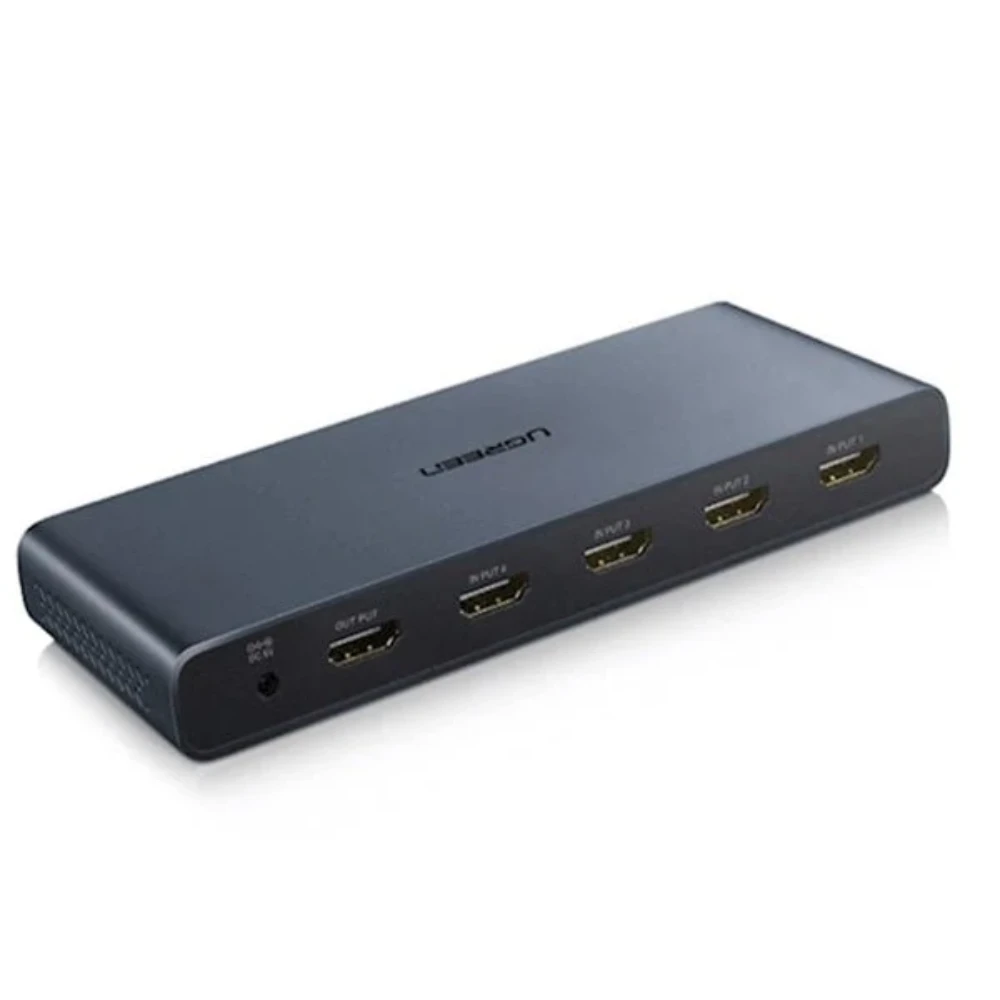
    The UNITEK V1110A 4K HDMI SWITCH 5 IN 1 OUT 4K@30HZ (Rs. 13,000) is the highest-capacity plain switch in this range, connecting up to five HDMI sources – think a console, a set-top box, a laptop, a streaming stick and a Blu-ray player – to a single display at 4K@30Hz.

    UNITEK V1110A 4K HDMI SWITCH 5 IN 1 OUT 4K@30HZ

    For smaller setups, the UGREEN 40234 3-PORT 3X1 HDMI SWITCH (Rs. 6,948) connects three devices with a simple manual button and LED indicators showing which input is active, and is plug-and-play in most setups. The UNITEK V1111A 4K HDMI SWITCH 3 IN 1 OUT FULL HD (Rs. 9,870) also handles three sources, but supports full 4K at 3840×2160 with 12-bit color, 3D pass-through, and Dolby TrueHD/DTS-HD audio pass-through – worth the step up if you care about audio fidelity through a receiver.

    UNITEK V1111A 4K HDMI SWITCH 3 IN 1 OUT FULL HD

    A budget 3-in-1 alternative

    The UGREEN 80125 HDMI SWITCHER 3 IN 1 OUT 4K @ 30HZ (Rs. 6,106) is similar in concept to the 40234: three HDMI inputs, one output, 4K@30Hz, 3D support and deep color, with LED indicators and a manual switch button that needs no external power in most setups.

    If you are switching laptops, not set-top boxes

    Not every source is HDMI-native anymore. The UGREEN 55452 USB-C HDMI SWITCH 2-IN-1 (Rs. 10,453) is built in aluminum and lets two USB-C devices – MacBooks, laptops, tablets – share a single HDMI display at up to 4K@60Hz, switching with one button and no drivers required.

    Picking between them

    With five switches to choose from, port count and resolution ceiling are the two things worth deciding on first. If you regularly connect more than three devices, the five-port UNITEK V1110A is the only option here built for that. If three ports is enough, compare the UGREEN 40234, UGREEN 80125 and UNITEK V1111A on resolution and audio: the V1111A’s full 4K resolution and Dolby TrueHD/DTS-HD pass-through justify its higher price if you are routing audio through a home theater receiver, while the 40234 and 80125 are simpler and cheaper if you just need basic switching at 4K@30Hz.

    None of these switches need drivers or software – every one listed here is plug-and-play, so setup is limited to connecting the cables and pressing a button to choose the active source.

    Frequently Asked Questions

    How many devices can one HDMI switch handle?

    It varies by model. In this range it spans from 2-device bidirectional switchers up to the UNITEK V1110A 5 IN 1 OUT (Rs. 13,000), so pick based on how many sources you actually need connected at once.

    Do these switches need a remote control?

    The switches covered here – the UGREEN 40234, UGREEN 80125, UNITEK V1111A and UNITEK V1110A – all use a manual push-button with LED indicators rather than a remote, which keeps them simple and inexpensive.

    Can I connect laptops via USB-C instead of HDMI?

    Yes. The UGREEN 55452 USB-C HDMI Switch 2-in-1 (Rs. 10,453) accepts two USB-C sources and outputs to one HDMI display at up to 4K@60Hz, which suits MacBooks and modern laptops that skip a dedicated HDMI port.

    What resolution should I expect from an HDMI switch?

    It depends on the model: the UNITEK V1111A and UGREEN 55452 are rated up to 4K@60Hz-class resolution, while the UNITEK V1110A and UGREEN 80125 top out at 4K@30Hz.

  • How to Mirror One HDMI Source to Two TVs in Different Rooms

    How to Mirror One HDMI Source to Two TVs in Different Rooms

    Why you need a splitter, not a second box

    Sharing one cable box, media player or console feed with a TV in another room does not require a second subscription or a smart TV app – it just needs a splitter that duplicates the signal. The UGREEN 90513 HDMI SPLITTER 1 IN 2 OUT4K60Hz (Rs. 6,450) is built exactly for this: it is described as letting you “enjoy the same content on two TVs in different rooms with ease.” It supports 4K@60Hz with HDR and HDCP 2.2/1.4, and also handles 4K@30Hz or 1080P@120Hz depending on your source and cables.

    It also supports HDMI CEC, so the connected TV’s own remote can control basic functions on the source device, and its compact 77x52x24mm size tucks away behind a TV stand easily. If you eventually want to add a third or fourth room, the same splitter can be cascaded to reach up to 8 displays total.

    UGREEN 90513 HDMI SPLITTER 1 IN 2 OUT4K60Hz

    Other 1-in-2 options depending on budget

    If you want a no-frills, budget-friendly alternative, the UNITEK V1130A01-EU 4K HDMI SPLITTER 1 IN 2 OUT ULTRA HD (Rs. 7,896) is plug-and-play with no drivers required and supports 4K Ultra HD resolution, making it a straightforward pick for a second TV.

    At the more premium end, the UGREEN 50710 HDMI 2.0 SPLITTER BOX (Rs. 15,160) is built with a durable metal housing for heat dissipation and a powered design for stable signal transmission, supporting 4K UHD up to 60Hz along with HDR, 3D and HDCP. It is a larger, boxier unit than the compact 90513, but the metal housing and powered design are aimed at long-term reliability.

    UGREEN 50710 HDMI 2.0 SPLITTER BOX

    Setup basics

    • Connect your source device (cable box, streaming player, console) into the splitter’s single input port.
    • Run one HDMI cable from each output port to each TV.
    • Remember these units mirror the picture – both TVs will always show the exact same content, so you cannot watch two different channels from one splitter.
    • For longer cable runs to a second room, a powered unit such as the UGREEN 50710 is designed with signal stability in mind.

    Frequently Asked Questions

    Can both TVs show different channels at the same time?

    No. A splitter mirrors one source, so both TVs always display the identical picture. For independent content on each screen you would need two separate source devices instead of a splitter.

    Will this work if one TV is older and only supports 1080p?

    Because a splitter sends the same signal to every output, mixed-resolution setups can be limited by what your source and cabling negotiate. The UGREEN 90513 lists support down to 1080P@120Hz in addition to 4K@60Hz and 4K@30Hz, giving it some flexibility across different TVs.

    What is the price range for a two-TV splitter setup?

    Prices here range from Rs. 6,450 for the UGREEN 90513 up to Rs. 15,160 for the premium metal-housed UGREEN 50710, with the UNITEK V1130A01-EU sitting in between at Rs. 7,896.

    Do I need external power for this?

    The UNITEK V1130A01-EU is plug-and-play with no external power needed. The UGREEN 50710 is described as having a “powered design” for more stable long-term signal transmission, which is worth considering for a permanent two-room installation.

  • HDMI Splitter vs HDMI Switch: What’s the Difference and Which Do You Need

    HDMI Splitter vs HDMI Switch: What’s the Difference and Which Do You Need

    One-to-many vs many-to-one

    The easiest way to tell an HDMI splitter and an HDMI switch apart is to ask which direction the signal is travelling. A splitter takes one HDMI input and duplicates it across multiple outputs, so every connected screen shows the exact same picture at the same time. A switch does the opposite: it takes multiple HDMI inputs and sends only one of them to a single display at a time, letting you choose which source is active.

    A good splitter example is the UGREEN 90806 1-IN-4 OUT HDMI SPLITTER 4K@60HZ (Rs. 10,810), which sends one HDMI signal to four displays simultaneously at 4K@60Hz. It runs in “Mirror Only” mode, meaning all four screens are guaranteed to show identical content – there is no way to send different video to each one.

    A good switch example is the UGREEN 40234 3-PORT 3X1 HDMI SWITCH (Rs. 6,948), which lets three devices – a games console, a media player and a laptop, for example – share one TV. Pressing the manual button, with LED indicators showing which input is live, swaps between them instantly without unplugging any cables.

    When one device does both jobs

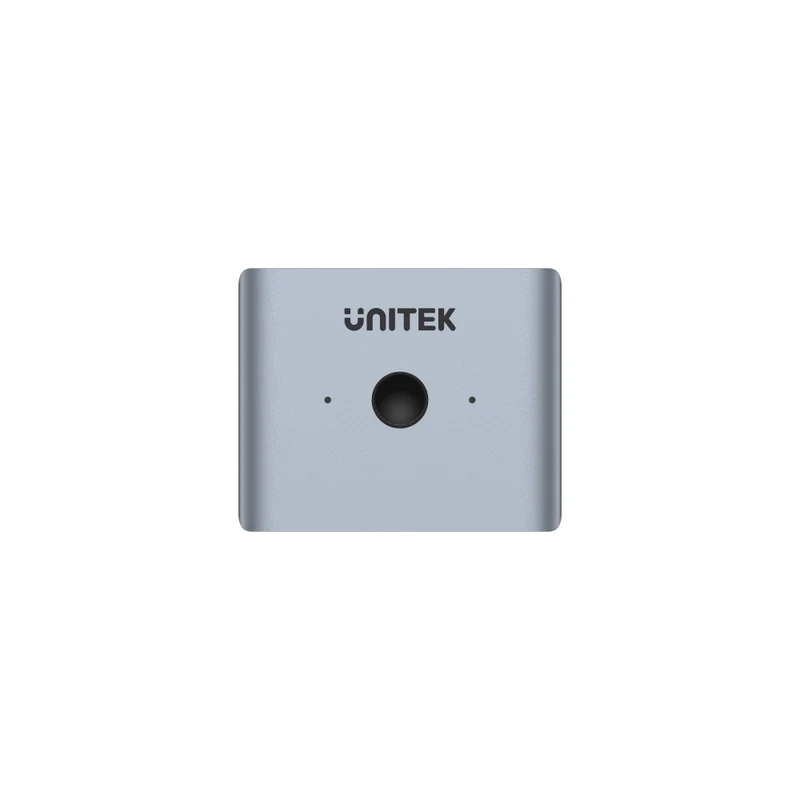
    If you are not sure which direction you need, or your setup might change later, a bidirectional model solves that problem. The UGREEN 50966 2 IN 1 OUT HDMI SWITCHER (Rs. 4,400) can be used as a 2-in-1-out switch or flipped to work as a 1-in-2-out splitter, and either way it supports 4K@60Hz with 18Gb/s of bandwidth, plus HDR, 3D and HDCP 2.2/1.4. The UGREEN 70607 4K 30HZ 2 WAY HDMI BIDIRECTIONAL SWITCH SPLITTER (Rs. 5,264) offers the same two-way flexibility in an aluminum housing with a bundled cable, at 4K@30Hz.

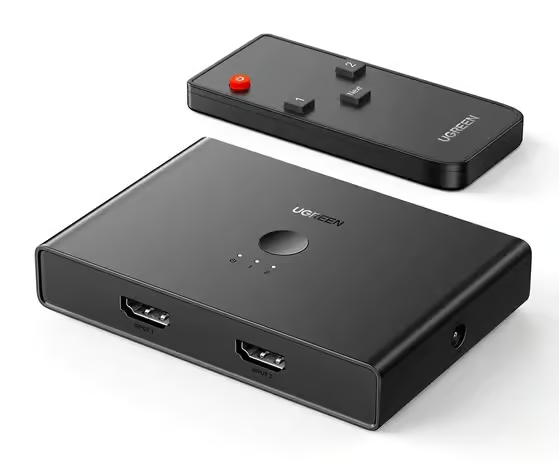
    UGREEN 50966

    Both of these bidirectional units are plug-and-play with no external power required, which makes them an easy, low-commitment way to try either function before you commit to a dedicated splitter or a dedicated switch.

    UGREEN 40234

    Quick decision guide

    When you are standing in front of a shelf of near-identical looking black boxes, this short checklist usually settles it:

    • Want the same content on two or more screens at once, such as a movie playing in two rooms? You need a splitter.
    • Want to connect several devices – a console, a laptop, a streaming box – to one screen and choose between them? You need a switch.
    • Not sure yet, or need both at different times? A bidirectional switcher like the UGREEN 50966 or UGREEN 70607 covers both cases in a single box.

    Frequently Asked Questions

    Can I use an HDMI splitter to connect two laptops to one monitor?

    No – that is a switch’s job. A splitter only duplicates one input across multiple outputs. For two or more devices sharing one screen, use a switch such as the UGREEN 40234 3×1 (Rs. 6,948) or a bidirectional unit like the UGREEN 50966 (Rs. 4,400).

    Does a bidirectional switcher lose picture quality compared to a dedicated splitter or switch?

    Not based on the listed specifications: the UGREEN 50966 supports 4K@60Hz with 18Gb/s of bandwidth, HDR and HDCP 2.2/1.4 in either mode, matching the resolution class of dedicated splitters in the same price range.

    What is the most affordable way to try HDMI switching?

    The UGREEN 50966 at Rs. 4,400 and the UGREEN 70607 at Rs. 5,264 are the two lowest-priced bidirectional options here, useful for testing both switch and splitter functions before buying dedicated hardware.

    Do these devices need external power?

    The UGREEN 50966 and UGREEN 70607 are both plug-and-play with no external power needed. Larger, higher-capacity splitters elsewhere in the range do require a power supply, so always check the specific product’s power requirement before installing.