What an HDMI Extension Cable Actually Does
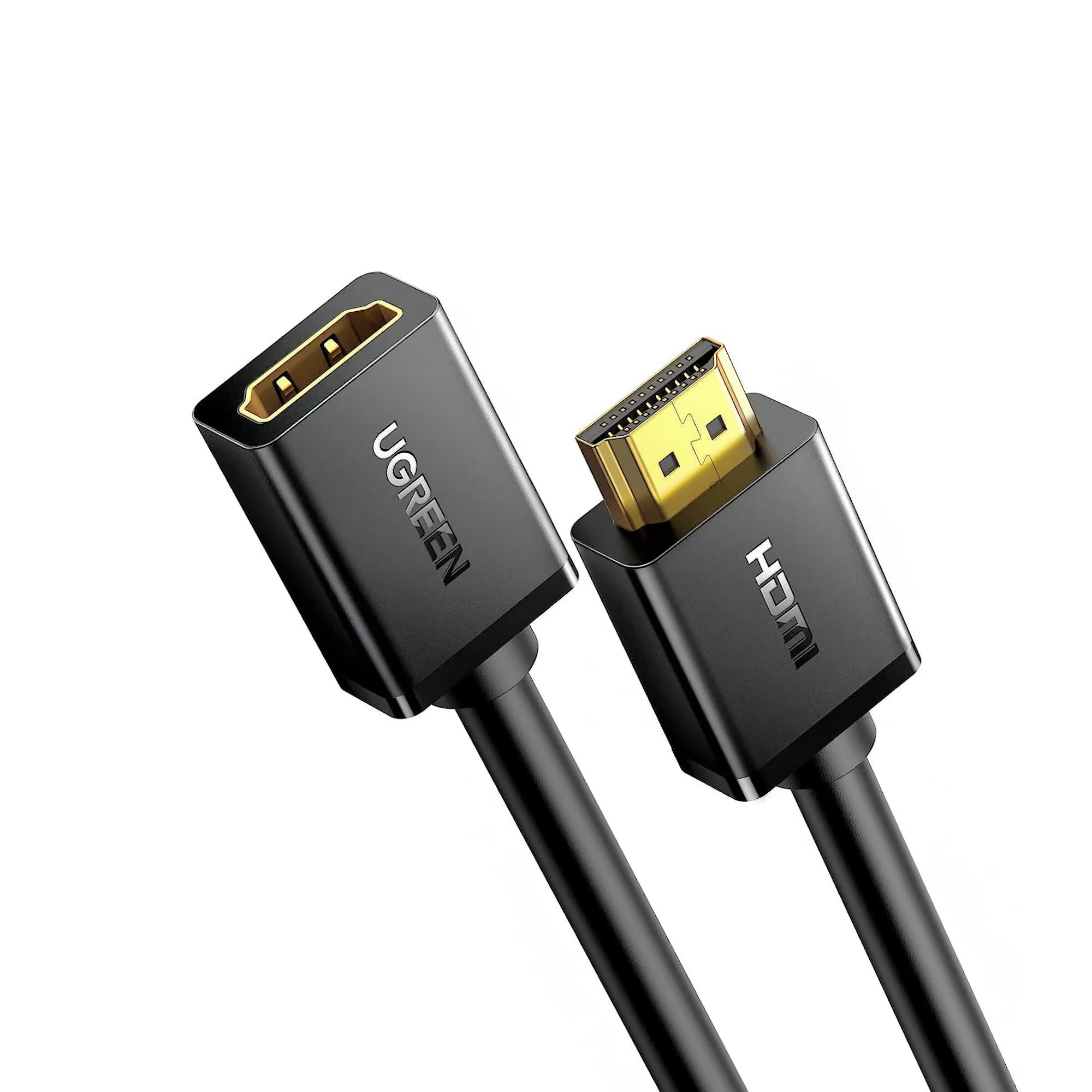
An HDMI extension cable has a male connector on one end and a female connector on the other, so it plugs directly into your existing HDMI cable or device port and adds distance without replacing anything. This is different from a standard male-to-male HDMI cable, which replaces the whole connection. The UGREEN 10142 HDMI Male to Female Extension Cable 2M (Rs. 2,685, down from Rs. 2,856) supports 4K@30Hz, 1080p@60Hz, and 3D video, and is backward compatible down to standard 1080p Full HD, making it a flexible option for most TVs and monitors.
When a Longer Extension Makes Sense
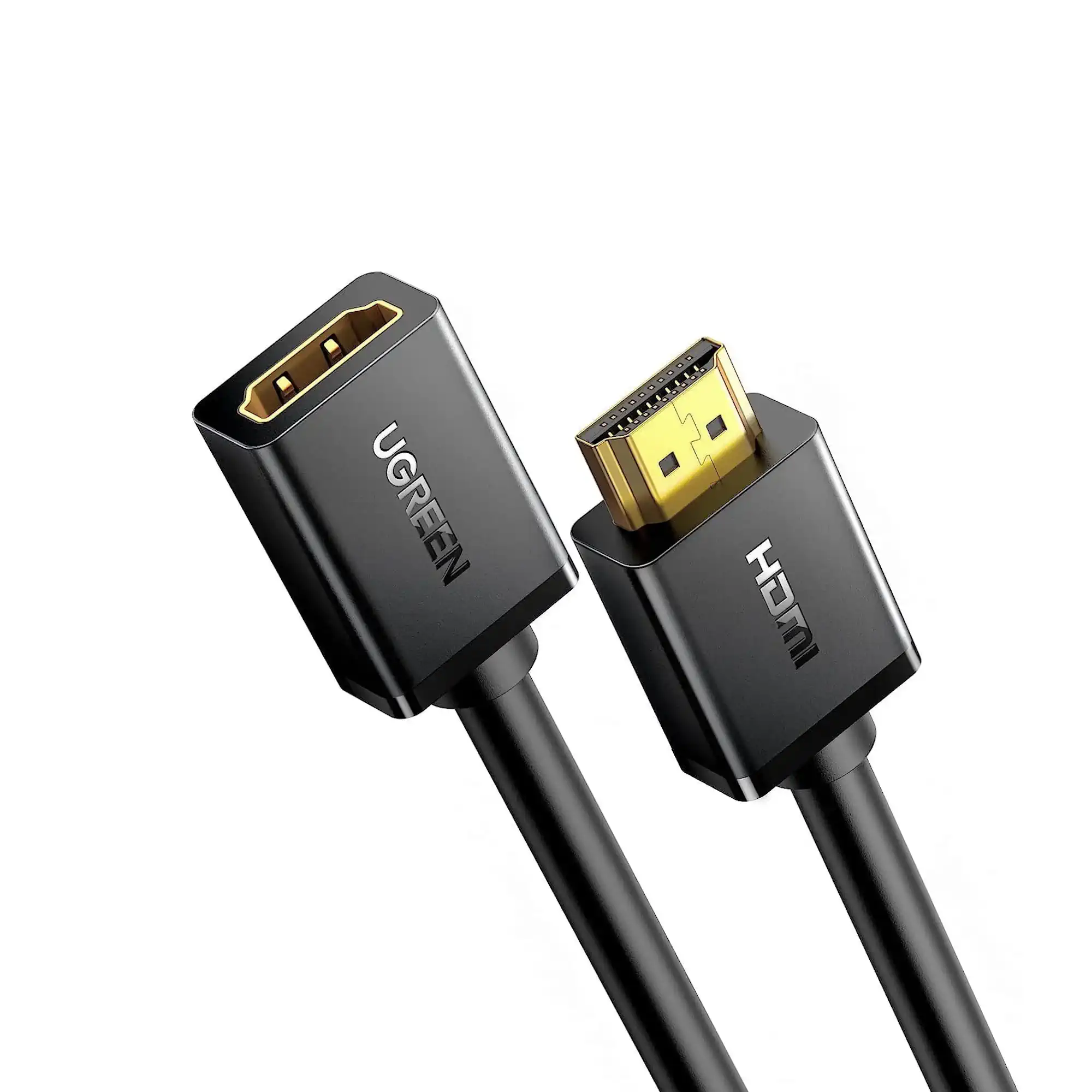
If you need more reach, the UGREEN 10146 HDMI Male to Female Extension Cable 5M (Rs. 6,160) extends an existing HDMI connection by a full 5 meters, using copper conductors with multi-layer shielding to keep the added distance from hurting signal quality. This is useful when a device is mounted somewhere the original cable doesn’t quite reach, without needing to run a brand-new full-length cable from the source.
Extension Cable vs a New Longer Cable
Extension cables make the most sense when your existing cable is almost the right length and you just need to close a small gap, or when you want to protect a device’s HDMI port from repeated plugging and unplugging by using the extension as a buffer. If you’re setting up a connection from scratch and know you need a long run, it’s generally better to buy one cable rated for the full distance, like a 10-meter or 15-meter HDMI cable, rather than combining a short cable with an extension. Every additional connector in the chain is another point where the signal can weaken, especially over longer combined distances.
A Common Use Case: Protecting a Port You Use Often
Beyond simply adding length, an extension cable is also a practical way to protect a port that gets plugged and unplugged frequently, such as a laptop HDMI input used by different visitors in an office, or a games console that gets moved for cleaning. Instead of the wear happening directly on the TV or laptop’s built-in HDMI port, it happens on the female end of the extension cable instead, which is far cheaper and easier to replace than the port itself. Both the UGREEN 10142 and UGREEN 10146 are suited to this kind of everyday use, not just as a fix for a slightly-too-short cable.
Frequently Asked Questions
What’s the difference between an extension cable and a regular HDMI cable?
A regular HDMI cable has male connectors on both ends and replaces the full connection. An extension cable like the UGREEN 10142 has a male end and a female end, so it plugs into your existing cable to add length rather than replacing it.
Can I use more than one extension cable in a row?
It’s best to avoid chaining multiple extensions together. Each added connector is a potential point of signal loss, so if you need a lot of extra length, a single longer cable is generally the more reliable choice.
What resolution do these extension cables support?
The UGREEN 10142 supports 4K@30Hz, 1080p@60Hz, and 3D video, and is backward compatible with lower resolutions, which covers most everyday TV and monitor setups.
Why would I use an extension cable instead of just buying a longer cable?
If your current cable is only a little short, an extension like the UGREEN 10142 (2M, Rs. 2,685) or UGREEN 10146 (5M, Rs. 6,160) is cheaper and simpler than replacing a cable that otherwise works fine.
Leave a Reply