Bays Are About More Than Just Storage Size
It’s tempting to think of drive bays purely in terms of “how many terabytes can I fit,” but bay count also determines what kind of data protection you can set up. A single drive has no built-in redundancy. Two or more bays let you mirror or spread data across multiple disks, so a single drive failure doesn’t mean losing everything.
Starting Small: 2-Bay Units
For most households, a 2-bay NAS is plenty. The UGREEN NASync DH2300 (Rs. 99,394) supports up to 60TB of total storage across two bays, while the UGREEN NASync DXP2800 (Rs. 154,762) offers two SATA bays plus two additional M.2 NVMe slots for a caching or extra-storage boost, with RAID 0 or RAID 1 support depending on whether you prioritize speed or protection.
The Middle Ground: 4-Bay Units
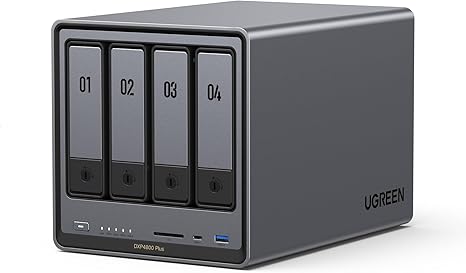
Four bays is where things get more flexible, since you can run RAID configurations that balance capacity and redundancy more efficiently than a 2-bay setup. The UGREEN NASync DXP4800 Plus (Rs. 300,048) offers 4 bays that are expandable to 6, giving you room to grow into more storage later without replacing the whole unit, while the UGREEN 65651 NASync DH4300 Plus (Rs. 145,286) supports up to 120TB total across its four bays using four 30TB drives.
Going Bigger: 6 and 8-Bay Units
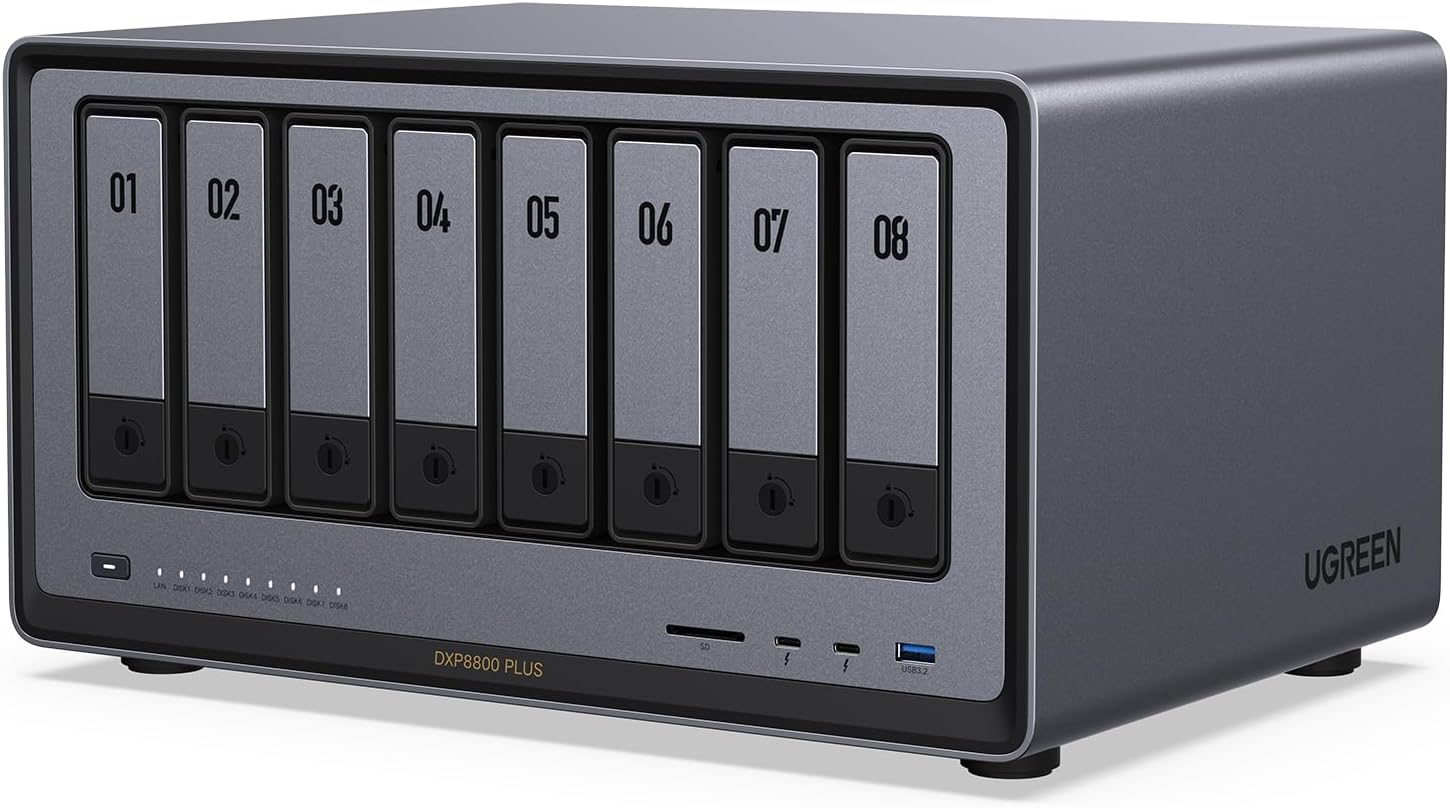
Once you’re managing serious volumes of data, whether that’s a growing business archive or a large creative media library, higher bay counts start to matter. The UGREEN NASync DXP8800 Plus (Rs. 463,232) is built for exactly this, with 8 drive bays expandable up to 10, an Intel Core i5 12th Gen processor, and dual 10GbE networking so the extra storage doesn’t become a network bottleneck.
A Simple Way to Choose
Start by estimating your current storage needs, then double it, since data collections tend to grow faster than expected. If that number comfortably fits in a 2-bay unit with room for a mirrored backup drive, stay small. If you’re already unsure, a 4-bay unit with expansion room, like the DXP4800 Plus, gives you a safer margin. Only step up to 6 or 8 bays if you’re managing data for a team, running demanding workloads, or archiving large volumes of media long-term.
Frequently Asked Questions
What’s the benefit of a NAS with expandable bays, like the DXP4800 Plus?
The DXP4800 Plus ships with 4 drive bays but is expandable to 6, meaning you can start with fewer drives and add more later as your storage needs grow, rather than buying a whole new unit.
How much can the DXP8800 Plus actually store?
The DXP8800 Plus has 8 drive bays, expandable up to 10, making it one of the highest-capacity options in the lineup for businesses or heavy users who need substantial local storage.
Is a 2-bay NAS like the DH2300 enough for redundancy?
Yes, with two bays you can run a mirrored setup where the same data exists on both drives, so losing one drive doesn’t mean losing your files, though your usable capacity is roughly half of the combined drive capacity in that configuration.
Do more drive bays always mean a better NAS?
Not necessarily — more bays mean more potential capacity and more flexible RAID options, but they also mean a higher price and more drives to purchase. The right bay count depends on how much data you actually need to store and protect.
Leave a Reply