Category: NAS & Storage

  • Power and Noise Considerations When Choosing a Home NAS

    Power and Noise Considerations When Choosing a Home NAS

    Why This Matters More at Home

    A NAS is meant to run continuously, which is very different from a laptop you shut at the end of the day. If it’s going to live in a living room, bedroom, or home office, how much heat and noise it generates while idling in the background becomes a real, everyday consideration, not just a spec sheet detail.

    Processor Choice Affects More Than Speed

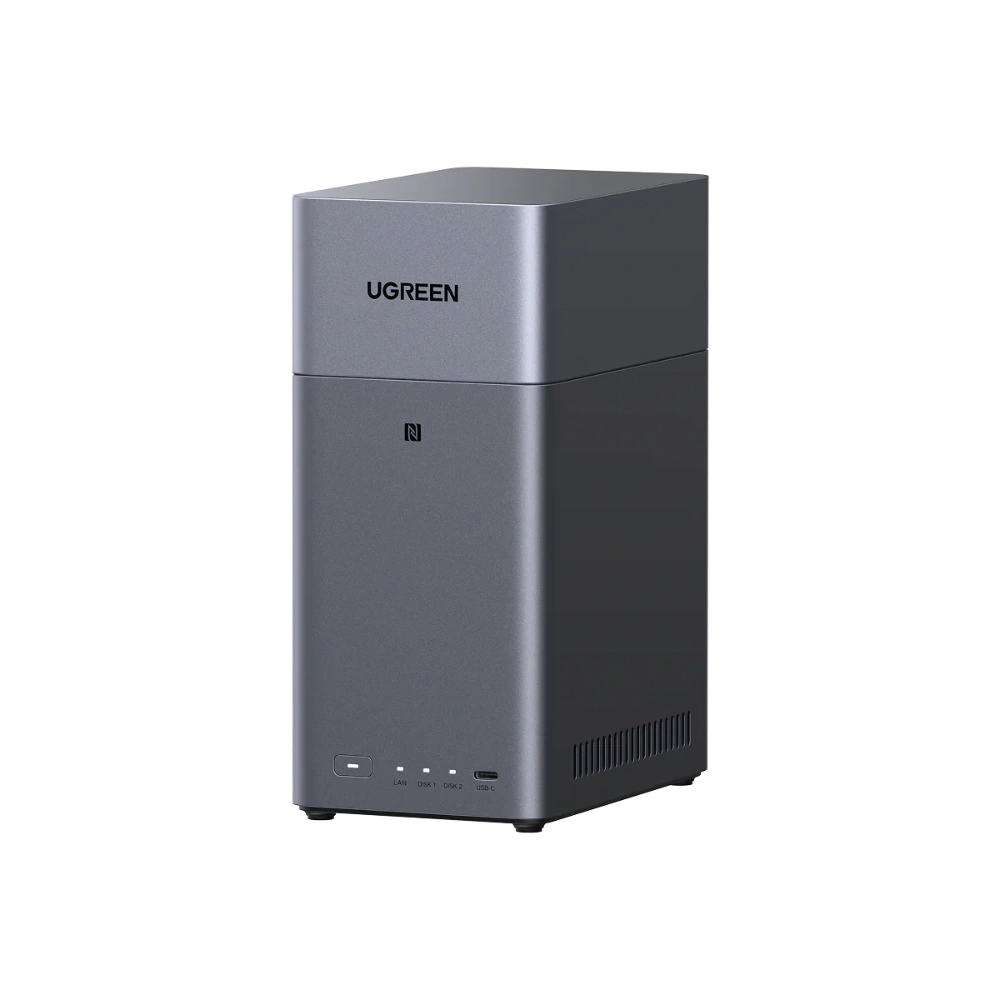
    Generally speaking, NAS units built around lighter, more efficient processors tend to run cooler and require less aggressive active cooling than units built around higher-performance desktop-class chips, simply because they generate less heat to begin with. The UGREEN NASync DXP2800 (Rs. 154,762), for example, uses an Intel N100 quad-core processor, a chip designed around efficiency, paired with 8GB of DDR5 RAM expandable to 16GB.
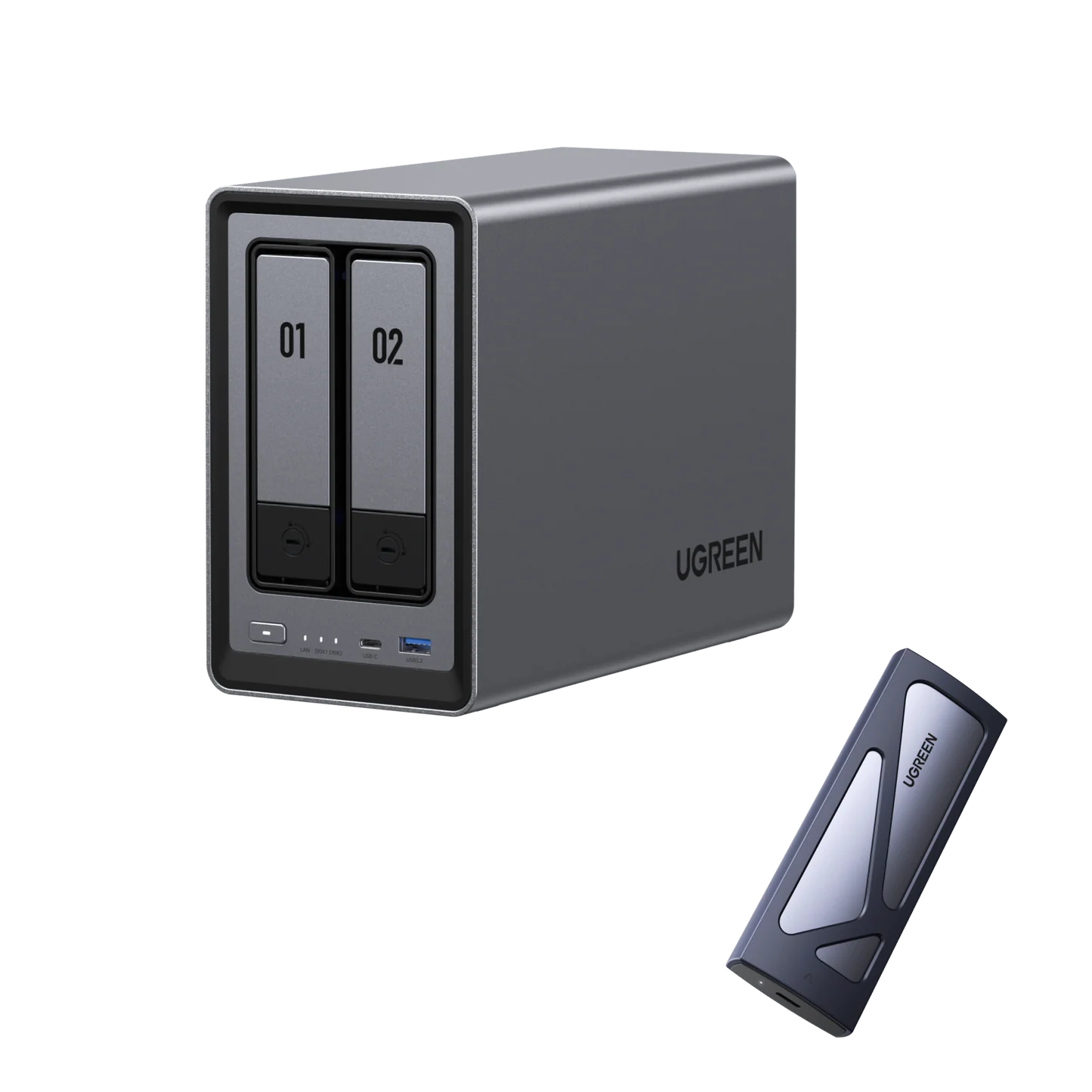
    UGREEN NASync DXP2800 2-bay NAS

    More Performance Usually Means More Cooling Demand

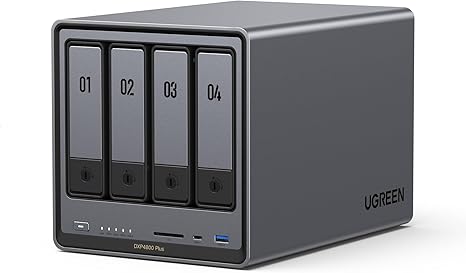
    Higher-tier units are built for a different priority: raw performance for demanding, multi-user workloads. The UGREEN NASync DXP4800 Plus (Rs. 300,048) runs an Intel X86 5-Core 12th Gen processor with 8GB of DDR5 RAM expandable up to 64GB, across 4 bays expandable to 6, with a 10GbE network port and Thunderbolt 4 connectivity for serious throughput. That extra processing power and networking capability is genuinely useful for a busy office, but it’s worth recognizing that more powerful hardware and more populated drive bays generally run warmer than a smaller, lighter-duty unit, since every additional spinning drive adds its own heat and vibration to the enclosure.
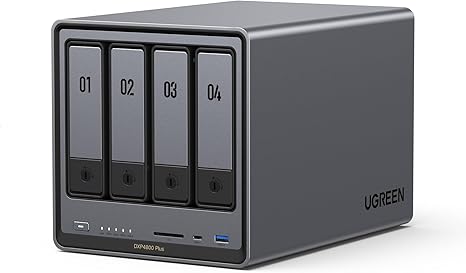
    UGREEN NASync DXP4800 Plus 4-bay NAS

    Matching the Unit to the Room

    If a NAS is going to sit somewhere you spend a lot of time, like a bedroom or living room, it’s worth leaning toward a smaller, lighter-duty unit with fewer drives spinning at once, rather than maxing out every bay on a high-performance model. If the NAS can live in a separate room, closet, or office space instead, the extra performance of a larger unit becomes far less of a day-to-day concern.

    Power Draw Adds Up Too

    Since a NAS is designed to run continuously, its power draw matters over the long run in a way that an occasionally-used device’s doesn’t. Lighter, more efficient processors like the N100 in the DXP2800 are generally built with lower continuous power draw in mind compared to higher-performance desktop-class processors running across more drive bays.

    Frequently Asked Questions

    Does a NAS need to run all the time?

    Most NAS setups are designed to run continuously so that files are always available on the network and backups happen automatically, rather than being switched on and off like a regular computer.

    Is the DXP2800 a good choice for a quieter, lower-power home setup?

    Its Intel N100 quad-core processor is designed for efficiency rather than maximum performance, which generally makes lighter units like this a reasonable choice for spaces where lower power draw and less heat matter more than raw speed.

    Why would someone choose a more powerful unit like the DXP4800 Plus if it runs warmer?

    The DXP4800 Plus offers significantly more processing power, memory headroom up to 64GB, and 10GbE networking, which matters for busy offices or demanding workloads where performance is worth more than minimizing heat and power draw.

    Does the number of drives installed affect how much heat a NAS generates?

    Generally yes — each additional spinning hard drive adds its own heat output, so a fully populated multi-bay NAS will typically run warmer than the same unit with only one or two bays filled.
  • Expanding Your NAS: NVMe Caching, Thunderbolt, and RAM Upgrades Explained

    Expanding Your NAS: NVMe Caching, Thunderbolt, and RAM Upgrades Explained

    A NAS Should Grow With You

    One of the most useful things about higher-end NAS units is that they’re rarely a fixed, final purchase. Between expandable RAM, extra NVMe slots, additional network ports, and in some cases more drive bays, several UGREEN NASync models are built to be upgraded rather than replaced as your needs grow.

    NVMe Slots: Speed Without Spinning Drives

    The UGREEN NASync DXP480T Plus (Rs. 247,408) takes this furthest by skipping traditional hard drive bays altogether in favor of 4 M.2 NVMe slots, giving it an all-flash, NVMe SSD-only storage design built for ultra-fast performance on demanding workflows. It’s powered by an Intel Core i5 12th Gen processor with 8GB of DDR5 RAM expandable up to 64GB, and it’s also WiFi-ready, meaning it can be set up with wireless connectivity for more flexible placement.

    UGREEN NASync DXP480T Plus  4-bay NVMe NAS (WIFI Ready)

    For units with traditional hard drive bays, a smaller number of M.2 NVMe slots are typically used differently — as a fast cache layer that speeds up access to frequently used files, rather than as the primary storage pool. The UGREEN 25371 NASync DXP4800 (Rs. 231,616), for instance, pairs 2 M.2 NVMe slots with a 128GB SSD cache alongside its four traditional drive bays.

    Thunderbolt 4: Fast, Direct Connections

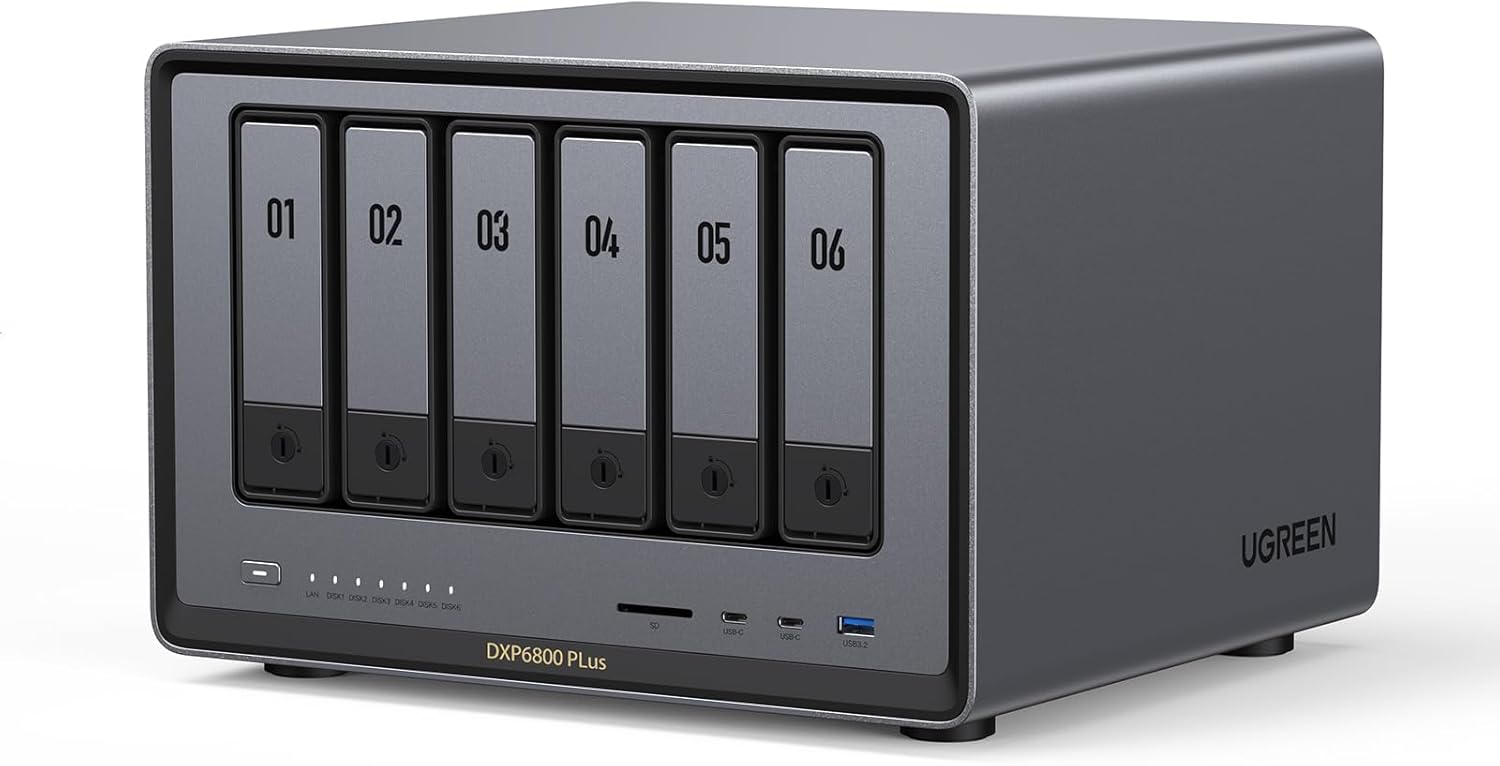
    Beyond the network, Thunderbolt 4 ports open up direct, high-speed connections to a single workstation, which matters for professionals working with very large files. The DXP480T Plus includes two Thunderbolt 4 ports, matching the higher-end UGREEN NASync DXP6800 Pro (Rs. 400,590), which also carries 2x Thunderbolt 4 ports alongside its 6 bays, expandable to 8, and dual 10GbE networking.

    UGREEN NASync DXP6800 Pro 6-bay NAS

    RAM: The Quiet Upgrade Most People Forget

    Several of UGREEN’s higher-end NASync models, including the DXP480T Plus, DXP4800 Plus, DXP6800 Pro, and DXP8800 Plus, ship with 8GB of DDR5 RAM but are expandable up to 64GB. More RAM directly helps with running more simultaneous connections, heavier virtualization or app workloads, and faster caching, without touching the storage side of the NAS at all.

    Expanding Bay Count Itself

    On top of NVMe, Thunderbolt, and RAM, some models let you expand the physical bay count over time. The DXP6800 Pro grows from 6 to 8 bays, and the DXP8800 Plus grows from 8 to 10, meaning the storage ceiling isn’t fixed at the point of purchase for those who plan to scale up gradually rather than buying their maximum capacity on day one.

    Frequently Asked Questions

    What makes the DXP480T Plus different from bay-based NAS units?

    The DXP480T Plus uses 4 M.2 NVMe slots instead of traditional SATA hard drive bays, making it an all-flash, NVMe SSD-only NAS built for faster performance, and it’s also WiFi-ready for more flexible network setup.

    How much can I expand the RAM on higher-end UGREEN NAS units?

    Models like the DXP480T Plus, DXP4800 Plus, DXP6800 Pro, and DXP8800 Plus all ship with 8GB of DDR5 RAM and support expansion up to 64GB.

    What is Thunderbolt 4 useful for on a NAS?

    It allows a fast, direct wired connection to a single workstation, which is useful for professionals moving very large files, and it’s available on the DXP480T Plus, DXP4800 Plus, DXP6800 Pro, and DXP8800 Plus in either one or two-port configurations.

    Can I add more drive bays later on a unit like the DXP6800 Pro?

    Yes, the DXP6800 Pro ships with 6 bays but is expandable to 8, and similarly the DXP8800 Plus expands from 8 bays to 10, allowing storage capacity to grow after the initial purchase.

  • Setting Up Your UGREEN NAS: From Installing Drives to First Login

    Setting Up Your UGREEN NAS: From Installing Drives to First Login

    Step One: Choosing Compatible Drives

    Most UGREEN NASync units, including the 2-bay UGREEN NASync DH2300 (Rs. 99,394), ship diskless, meaning the enclosure, processor, and networking are included, but you supply the hard drives. This is actually a good thing for a first-time buyer, because it means you only pay for the capacity you actually need right now, and can add more later.

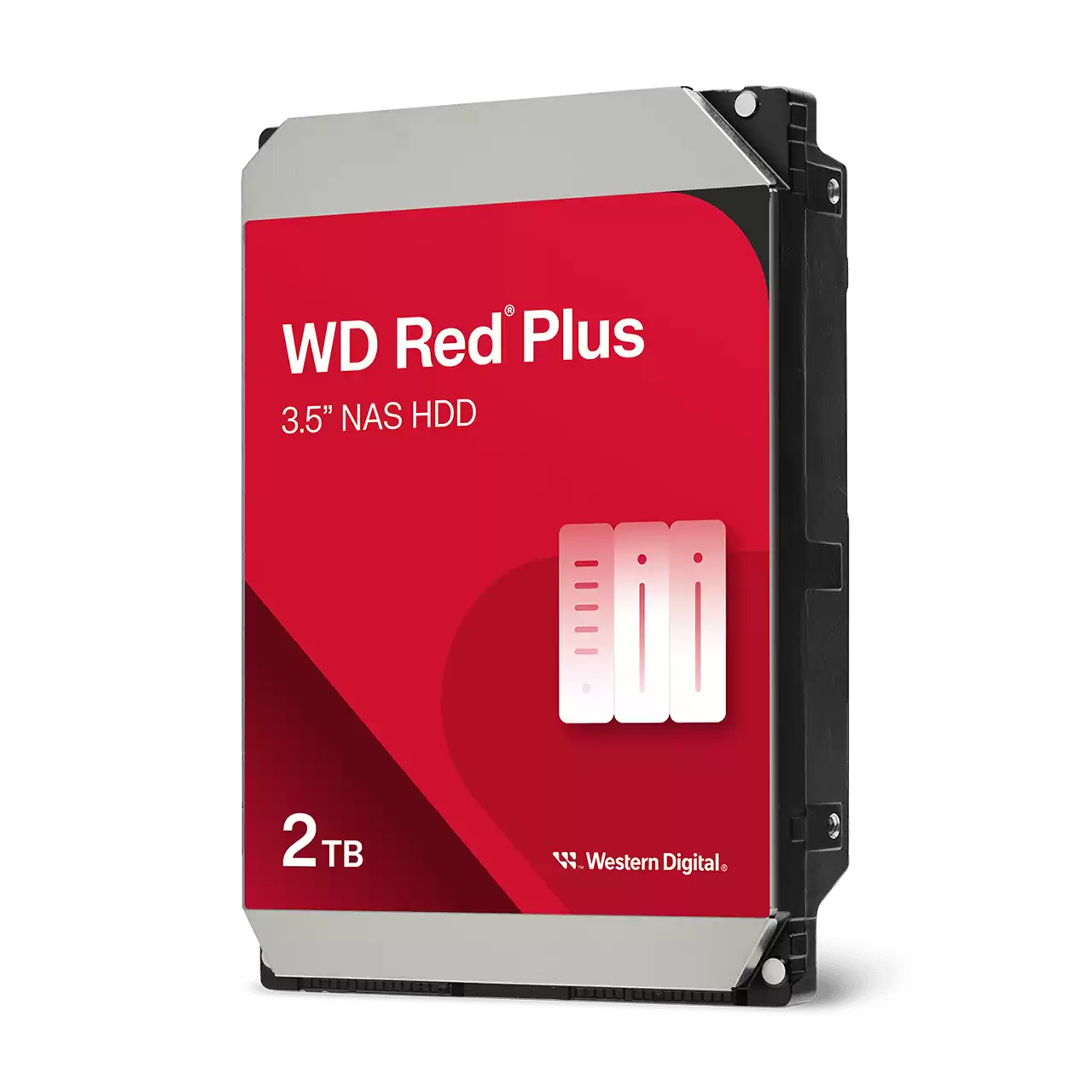
    For the drives themselves, it’s worth using ones purpose-built for NAS use rather than a spare desktop drive lying around. The WD Red Plus Internal NAS HDD (from Rs. 45,000) is designed specifically for small-to-medium business and home NAS environments, and comes in a range of capacities from 2TB up to 12TB, across models like the WD20EFPX, WD40EFPX, WD80EFPX, and WD120EFGX, so you can match the drive size to your bay count and budget.

    WD20EFPX

    Step Two: Physical Installation

    Once you have your drives, installation on most NAS units is tool-light: drives slide into the bays from the front or side of the enclosure, depending on the model, and are secured before the unit is powered on. This is also the point where you decide how many drives to install upfront versus leaving bays empty for future expansion, particularly relevant on expandable units.

    Step Three: Initial Configuration

    After powering on, the NAS is set up through an app or browser-based interface on your computer or phone. This is where you’ll format the drives, choose a RAID mode if you’re using more than one drive, and set up user accounts. The UGREEN NASync DH2300 supports Windows, macOS, Android, and iOS, so setup and ongoing access work regardless of what device you’re on.

    UGREEN NASync DH2300 2-Bay NAS Storage – High Speed Home And Office Cloud

    Step Four: Everyday Access

    Once configured, the NAS should quietly sit on your network doing its job. Devices connect to it the same way they’d connect to any shared drive, and if you’ve set up remote access, you can reach your files from outside the house or office too. Most of the ongoing “maintenance” is really just occasionally checking drive health and making sure backups are actually running as expected.

    Frequently Asked Questions

    Do UGREEN NAS units come with hard drives included?

    No, units like the DH2300 are sold diskless, meaning you choose and install your own hard drives, such as the WD Red Plus Internal NAS HDD range, based on the capacity you need.

    What capacities does the WD Red Plus Internal NAS HDD come in?

    It’s available across a wide range, including 2TB, 3TB, 4TB, 6TB, 8TB, 10TB, and 12TB models, covering options like the WD20EFPX, WD40EFPX, WD80EFPX, and WD120EFGX.

    What operating systems can I use to set up and access a NAS like the DH2300?

    The DH2300 supports Windows, macOS, Android, and iOS, so setup and day-to-day access work whether you’re on a desktop computer or a phone.

    Do I need to decide on a RAID mode before installing drives?

    It helps to plan ahead, since RAID mode affects how drives are formatted, but the actual RAID configuration is typically chosen during the initial software setup after the drives are physically installed.

  • NAS vs Cloud Storage: Why Owning Your Storage Makes Sense in Pakistan

    NAS vs Cloud Storage: Why Owning Your Storage Makes Sense in Pakistan

    The Subscription Trap

    Cloud storage services are convenient to start with, but the cost never really goes away. You pay every month or every year, indefinitely, and the moment you stop paying, your access to your own files is at risk. A NAS flips that model: you pay once for the hardware and drives, and everything after that is yours to keep, upgrade, or expand on your own terms.

    What You Get With a Capable NAS

    The UGREEN 25371 NASync DXP4800 4-Bay Desktop NAS (Rs. 231,616) is a good example of what a mid-to-high-end NAS brings to the table: an Intel Pentium Gold 8505 5-Core processor, 8GB of DDR5 RAM, and 128GB of SSD cache to speed up frequent file access, all backed by up to 80TB of total storage capacity across four drives (sold separately). It also includes a 10GbE network port alongside a 2.5GbE port, which matters if you want transfer speeds that a typical cloud connection simply can’t match on a local network.

    UGREEN 25371 NASync DXP4800 4-Bay Desktop NAS

    Speed Is a Real Advantage, Not Just a Number

    Uploading and downloading large files to and from a cloud service is limited by your internet connection, in both directions. Moving the same files to and from a NAS over your local network, especially one with a 10GbE port like the DXP4800, is typically far faster, since you’re not bottlenecked by upload speeds that are often much slower than download speeds on most home and office internet plans.

    You Don’t Have to Go All-In Immediately

    If the cost of a higher-end unit like the DXP4800 feels like a big first step, a more affordable entry point like the UGREEN NASync DH2300 (Rs. 99,394) still delivers the core benefit of owning your storage outright, with up to 60TB of total capacity across its two bays, without the recurring cost structure of a cloud plan.

    UGREEN NASync DH2300 2-Bay NAS Storage – High Speed Home And Office Cloud

    Where Cloud Storage Still Has a Role

    None of this means cloud storage is useless. It’s genuinely useful as an off-site copy of your most critical files, in case something happens to your physical location. But relying on it as your only storage, month after month, is where the costs and risks quietly stack up. Many NAS owners end up using a small amount of cloud storage alongside their NAS, rather than instead of it.

    Frequently Asked Questions

    Is a NAS really cheaper than cloud storage in the long run?

    For anyone storing a meaningful amount of data over several years, yes — a NAS is a one-time hardware cost, whereas cloud storage plans are ongoing subscriptions that never stop as long as you need the space.

    What makes the DXP4800’s 10GbE port useful compared to cloud storage speeds?

    A 10GbE connection allows much faster file transfers over your local network than most home or office internet connections can achieve when uploading to or downloading from a cloud service.

    Do I need a high-end NAS like the DXP4800 to move away from cloud storage?

    No, a more affordable option like the UGREEN NASync DH2300 at Rs. 99,394 still gives you owned, local storage up to 60TB, without needing the higher processing power of the DXP4800.

    Should I get rid of cloud storage completely once I have a NAS?

    Not necessarily. Many people keep a small cloud storage plan as an off-site backup for their most critical files, while relying on their NAS as the primary, larger storage pool.

  • DXP4800 Plus vs DXP6800 Pro vs DXP8800 Plus: Which UGREEN NAS Scales With Your Business

    DXP4800 Plus vs DXP6800 Pro vs DXP8800 Plus: Which UGREEN NAS Scales With Your Business

    Three Tiers, One Growth Path

    Once a NAS is doing real work for a business — hosting shared files, running backups for a team, or supporting creative workflows — the choice usually comes down to three UGREEN NASync models that sit above the entry-level range: the DXP4800 Plus, the DXP6800 Pro, and the DXP8800 Plus. Each one adds more bays, more networking speed, and more processing power, at a proportionally higher price.

    UGREEN NASync DXP4800 Plus – Rs. 300,048

    The DXP4800 Plus is the entry point into this tier, built around an Intel X86 5-Core 12th Gen processor with 8GB of DDR5 RAM, expandable up to 64GB. It offers 4 drive bays, expandable to 6, dual 2.5GbE plus a 10GbE network port, one Thunderbolt 4 port, and 4K HDMI output. For a small team that’s outgrown a basic desktop NAS but doesn’t yet need enterprise-scale bay counts, this is a strong middle-ground option.

    UGREEN NASync DXP6800 Pro – Rs. 400,590

    Step up to the DXP6800 Pro and you get a genuine jump in specification: an Intel Core i5 12th Gen processor, the same 8GB DDR5 RAM expandable to 64GB, but now across 6 drive bays (expandable to 8), dual 10GbE networking, two Thunderbolt 4 ports, and 8K HDMI output. This is aimed squarely at advanced users and businesses that need enterprise-level speed and scalability rather than just extra storage space.

    UGREEN NASync DXP6800 Pro 6-bay NAS

    UGREEN NASync DXP8800 Plus – Rs. 463,232

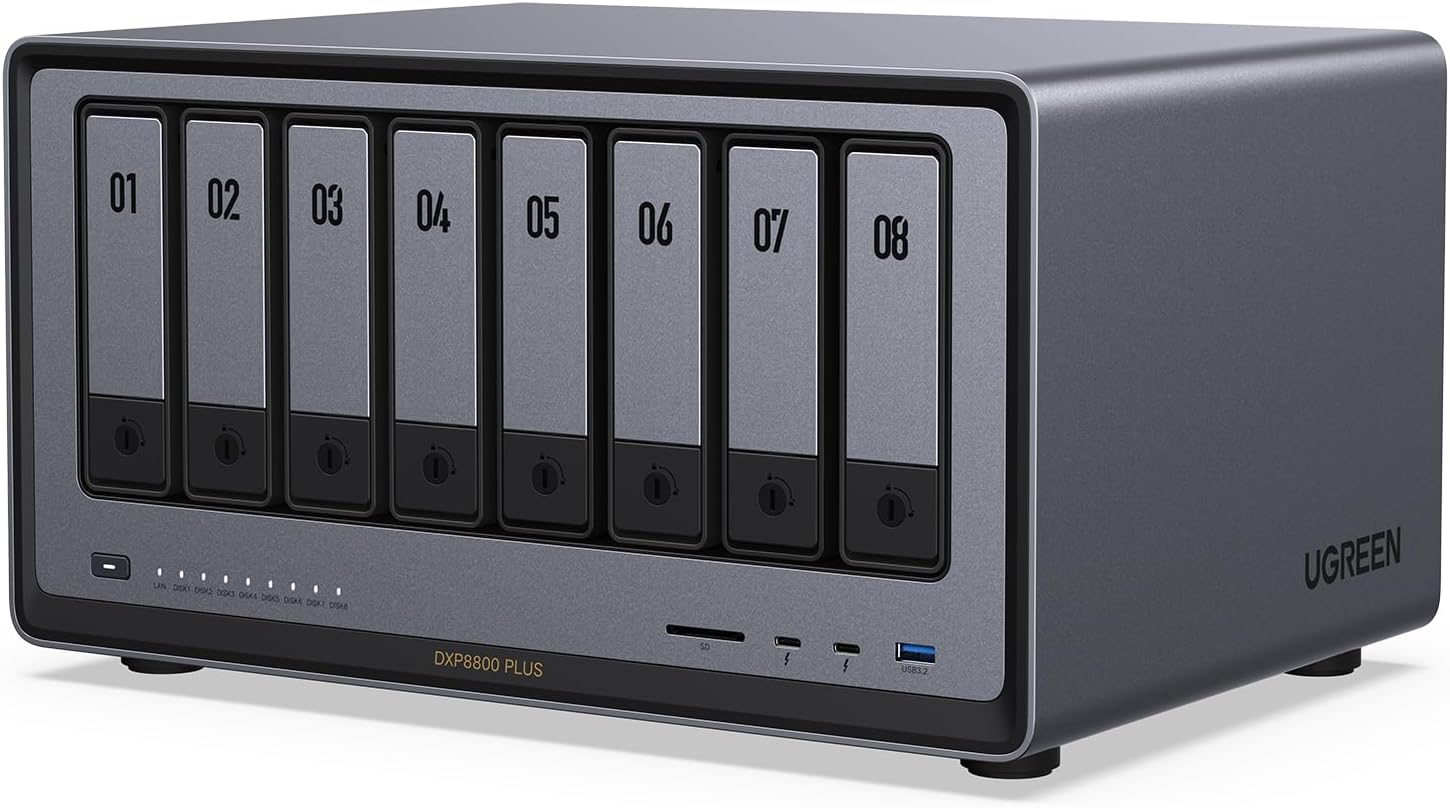
    At the top of this comparison sits the DXP8800 Plus, which keeps the same Intel Core i5 12th Gen processor and dual 10GbE ports as the DXP6800 Pro, but pushes bay count up to 8, expandable to 10, for businesses and studios that need maximum local capacity alongside enterprise-grade performance.

    UGREEN NASync DXP8800 Plus 8-bay NAS

    Which One Should You Actually Buy?

    If your priority is raw bay count and future headroom above everything else, the DXP8800 Plus makes sense. If you need enterprise-grade networking and processing power but don’t need more than 6 to 8 bays, the DXP6800 Pro hits a strong balance. And if you’re a smaller business just stepping up from a basic desktop NAS, the DXP4800 Plus delivers most of the same processing capability and Thunderbolt connectivity at a noticeably lower price.

    Frequently Asked Questions

    What’s the main hardware difference between the DXP4800 Plus and DXP6800 Pro?

    The DXP4800 Plus uses an Intel X86 5-Core 12th Gen processor with 4 bays (expandable to 6) and one Thunderbolt 4 port, while the DXP6800 Pro steps up to an Intel Core i5 12th Gen processor, 6 bays (expandable to 8), and two Thunderbolt 4 ports.

    Do all three models support the same maximum RAM?

    Yes, all three — the DXP4800 Plus, DXP6800 Pro, and DXP8800 Plus — ship with 8GB of DDR5 RAM and are expandable up to 64GB.

    Which of these three has the highest HDMI output resolution?

    The DXP6800 Pro and DXP8800 Plus both support 8K HDMI output, while the DXP4800 Plus supports 4K HDMI output.

    Is the DXP8800 Plus overkill for a small business?

    It can be, depending on your needs. If you don’t need 8 to 10 drive bays’ worth of capacity, the DXP6800 Pro or DXP4800 Plus deliver similar processing power and connectivity at a lower price and with fewer bays to fill.

  • RAID Basics Explained: How UGREEN NAS and WD Red Plus Drives Keep Your Data Safe

    RAID Basics Explained: How UGREEN NAS and WD Red Plus Drives Keep Your Data Safe

    What RAID Is Actually For

    RAID stands for a way of arranging multiple hard drives inside a NAS so that your data is protected, faster to access, or both, depending on which RAID mode you choose. It’s not a backup in the traditional sense of a separate copy stored elsewhere, but it does protect against the most common cause of data loss: a single hard drive failing.

    The RAID Modes You’ll Actually See

    The UGREEN NASync DXP2800 (Rs. 154,762) lists support for JBOD, Basic, RAID 0, and RAID 1 across its bays. In simple terms: JBOD and Basic simply combine or use drives individually with no redundancy, RAID 0 spreads data across drives for speed but offers no protection if a drive fails, and RAID 1 mirrors the same data across two drives, so if one fails, your files are still intact on the other. For most home and small office users protecting irreplaceable files like photos or business documents, RAID 1 is the mode worth understanding first.

    Why the Drives Themselves Matter

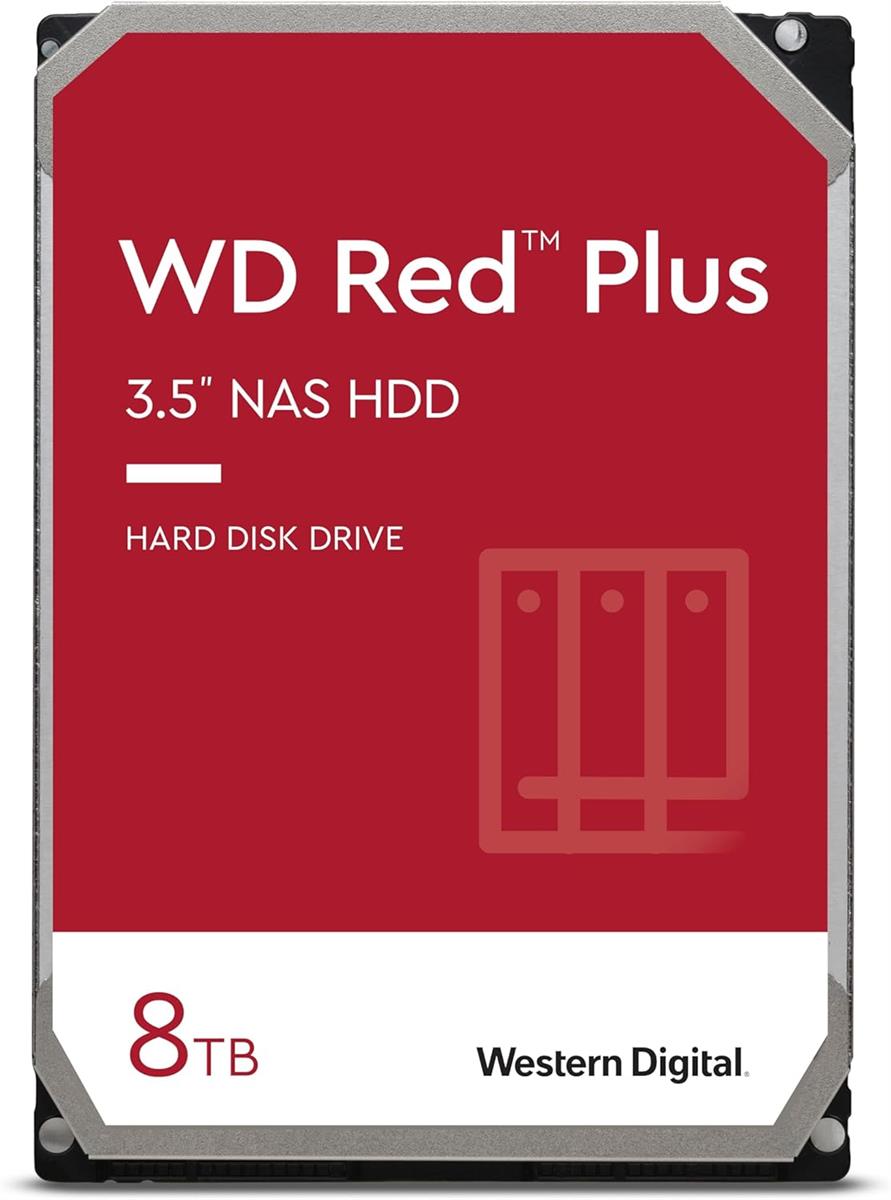
    RAID only works reliably if the hard drives inside the NAS are built to run continuously and handle the specific demands of a RAID array. This is where a drive like the WD Red Plus 8TB 3.5″ NAS Hard Drive (Rs. 85,540) comes in. It’s a 3.5-inch SATA drive spinning at 5640 RPM, specifically designed for RAID-optimized NAS systems with up to 8 bays, and built for 24/7 operation rather than the occasional use a typical desktop drive is designed around.

    WD Red Plus 8TB 3.5" NAS Hard Drive

    Using consumer-grade drives not designed for constant operation or multi-drive vibration inside a RAID array is one of the more common mistakes people make when setting up a NAS. Drives like the WD Red Plus range exist specifically to avoid that problem.

    UGREEN NASync DXP2800 2-bay NAS

    Bigger Arrays, Bigger Bay Counts

    The more bays a NAS has, the more RAID options become available, since some configurations need a minimum number of drives to work at all. That’s part of why higher-bay units like UGREEN’s 6 and 8-bay NASync models exist alongside simpler 2-bay units — more bays mean more flexibility in balancing speed, capacity, and protection.

    Frequently Asked Questions

    Does RAID replace the need for a separate backup?

    Not entirely. RAID, particularly RAID 1, protects against a single drive failing, but it doesn’t protect against theft, fire, accidental deletion, or a fault affecting the whole NAS, so a separate backup copy is still worth having for critical files.

    What RAID levels does the UGREEN NASync DXP2800 support?

    The DXP2800 supports JBOD, Basic, RAID 0, and RAID 1 configurations across its SATA bays.

    Why is the WD Red Plus 8TB specifically recommended for RAID setups?

    It’s designed for RAID-optimized NAS systems with up to 8 bays and built for continuous 24/7 operation, which matters because RAID arrays run constantly and put more sustained load on drives than typical desktop use.

    What’s the difference between RAID 0 and RAID 1?

    RAID 0 spreads data across multiple drives to improve speed but offers no protection if a drive fails, while RAID 1 mirrors data across drives so your files remain safe even if one drive stops working.

  • Turn Your NAS Into a Home Media Server and Automatic Backup Hub

    Turn Your NAS Into a Home Media Server and Automatic Backup Hub

    Two Jobs, One Box

    A NAS is often sold as a backup device, but for a lot of households the more exciting use case is turning it into a personal media server: a place to store movies, TV shows, music, and photos that can be streamed straight to a TV or any device on the network, while quietly keeping a protected copy of everything at the same time.

    Why HDMI Output Matters

    Not every NAS can plug directly into a television, which is what makes models with a built-in HDMI output useful for this specific job. The UGREEN NASync DXP2800 (Rs. 154,762) includes a 4K HDMI output alongside an Intel N100 quad-core processor and 8GB of DDR5 RAM (expandable to 16GB), so it can decode and push high-resolution video to a display without needing a separate media player box in between.

    UGREEN NASync DXP2800 2-bay NAS

    The DXP2800 also supports RAID 1 across its two SATA bays, which mirrors your data across both drives. If one drive fails, your files still exist on the other, which is exactly the kind of protection you want for a library of memories you can’t easily replace, like family photos and videos.

    A Budget-Friendly Alternative

    If you want similar media-server capability with more bays for a larger library, the UGREEN 65651 NASync DH4300 Plus (Rs. 145,286) is a 4-bay option that also includes 4K HDMI output, along with support for up to 120TB of total capacity across four drives (sold separately) and 8GB of LPDDR4X RAM.

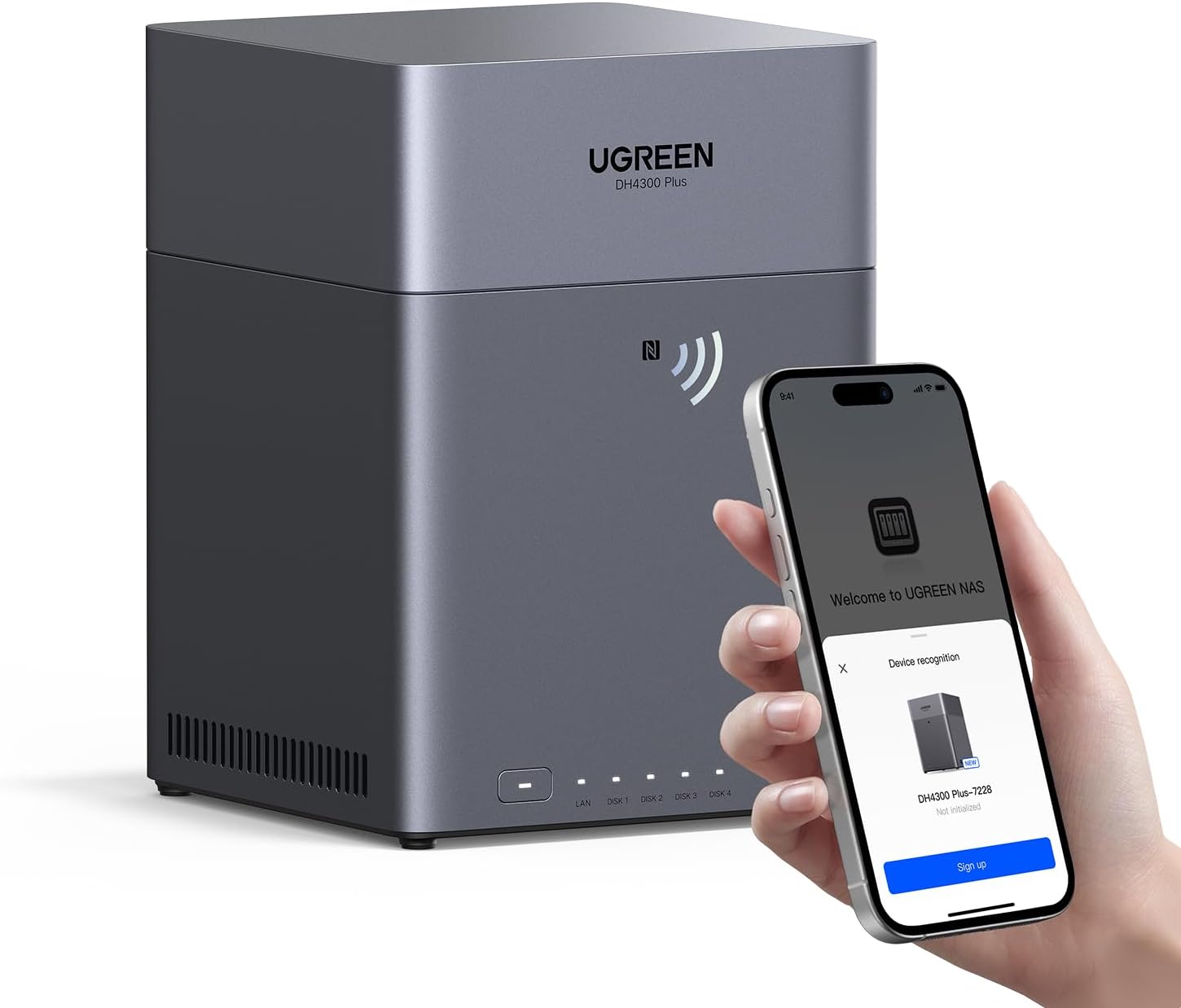
    UGREEN 65651 NASync DH4300 Plus | 4-Bay NAS with 2.5 GbE LAN Port

    Setting Up the Backup Side

    The backup half of this setup doesn’t need to be complicated. Once your movies and photos live on the NAS, you point your phones and computers at it to save new files automatically, and if you’ve configured a mirrored RAID setup like RAID 1, the NAS itself is quietly protecting those files against a single drive failure in the background, with no extra effort on your part after the initial setup.

    Frequently Asked Questions

    Can I connect a NAS directly to my TV?

    Some models can. The UGREEN NASync DXP2800 and the NASync DH4300 Plus both include a 4K HDMI output, allowing them to connect directly to a television for media playback without a separate streaming device.

    What does RAID 1 actually protect against?

    RAID 1 mirrors the same data across two drives at once. If one drive fails, your files remain intact on the second drive, which the DXP2800 supports alongside JBOD, Basic, and RAID 0 configurations.

    How much RAM does the DXP2800 have for handling media streaming and multitasking?

    The DXP2800 comes with 8GB of DDR5 memory, which can be expanded up to 16GB if you need more headroom for running multiple apps or streams at once.

    Is a 2-bay NAS enough for a media server, or do I need more bays?

    It depends on your library size. A 2-bay unit like the DXP2800 works well if you’re comfortable mirroring two drives for protection, but if you want more raw capacity for a large media collection, a 4-bay option like the DH4300 Plus, supporting up to 120TB, gives you more room to grow.

  • How Many Drive Bays Do You Need? A Practical Guide to NAS Capacity Planning

    How Many Drive Bays Do You Need? A Practical Guide to NAS Capacity Planning

    Bays Are About More Than Just Storage Size

    It’s tempting to think of drive bays purely in terms of “how many terabytes can I fit,” but bay count also determines what kind of data protection you can set up. A single drive has no built-in redundancy. Two or more bays let you mirror or spread data across multiple disks, so a single drive failure doesn’t mean losing everything.

    Starting Small: 2-Bay Units

    For most households, a 2-bay NAS is plenty. The UGREEN NASync DH2300 (Rs. 99,394) supports up to 60TB of total storage across two bays, while the UGREEN NASync DXP2800 (Rs. 154,762) offers two SATA bays plus two additional M.2 NVMe slots for a caching or extra-storage boost, with RAID 0 or RAID 1 support depending on whether you prioritize speed or protection.

    The Middle Ground: 4-Bay Units

    Four bays is where things get more flexible, since you can run RAID configurations that balance capacity and redundancy more efficiently than a 2-bay setup. The UGREEN NASync DXP4800 Plus (Rs. 300,048) offers 4 bays that are expandable to 6, giving you room to grow into more storage later without replacing the whole unit, while the UGREEN 65651 NASync DH4300 Plus (Rs. 145,286) supports up to 120TB total across its four bays using four 30TB drives.

    Going Bigger: 6 and 8-Bay Units

    Once you’re managing serious volumes of data, whether that’s a growing business archive or a large creative media library, higher bay counts start to matter. The UGREEN NASync DXP8800 Plus (Rs. 463,232) is built for exactly this, with 8 drive bays expandable up to 10, an Intel Core i5 12th Gen processor, and dual 10GbE networking so the extra storage doesn’t become a network bottleneck.

    UGREEN NASync DXP8800 Plus 8-bay NAS
    UGREEN NASync DXP4800 Plus 4-bay NAS

    A Simple Way to Choose

    Start by estimating your current storage needs, then double it, since data collections tend to grow faster than expected. If that number comfortably fits in a 2-bay unit with room for a mirrored backup drive, stay small. If you’re already unsure, a 4-bay unit with expansion room, like the DXP4800 Plus, gives you a safer margin. Only step up to 6 or 8 bays if you’re managing data for a team, running demanding workloads, or archiving large volumes of media long-term.

    Frequently Asked Questions

    What’s the benefit of a NAS with expandable bays, like the DXP4800 Plus?

    The DXP4800 Plus ships with 4 drive bays but is expandable to 6, meaning you can start with fewer drives and add more later as your storage needs grow, rather than buying a whole new unit.

    How much can the DXP8800 Plus actually store?

    The DXP8800 Plus has 8 drive bays, expandable up to 10, making it one of the highest-capacity options in the lineup for businesses or heavy users who need substantial local storage.

    Is a 2-bay NAS like the DH2300 enough for redundancy?

    Yes, with two bays you can run a mirrored setup where the same data exists on both drives, so losing one drive doesn’t mean losing your files, though your usable capacity is roughly half of the combined drive capacity in that configuration.

    Do more drive bays always mean a better NAS?

    Not necessarily — more bays mean more potential capacity and more flexible RAID options, but they also mean a higher price and more drives to purchase. The right bay count depends on how much data you actually need to store and protect.

  • What Is a NAS and Who Actually Needs One in Pakistan?

    What Is a NAS and Who Actually Needs One in Pakistan?

    What a NAS Actually Does

    A NAS, or network-attached storage device, is essentially a small dedicated computer with drive bays that sits on your home or office network. Instead of saving files to a single laptop or an external hard drive that can be lost, dropped, or filled up, you save them to the NAS, and every device on your network (or, with remote access enabled, devices anywhere) can reach the same files. It’s the difference between having one copy of your family photos on a phone that could break tomorrow, and having a proper, always-on storage hub built for exactly that job.

    For most people in Pakistan looking at a NAS for the first time, the appeal is simple: phone storage keeps filling up, laptops die without warning, and cloud storage subscriptions add up month after month without ever actually being “yours.” A NAS is a one-time hardware purchase that you own outright, and you decide how much storage to put in it.

    Who Should Actually Consider One

    You don’t need to run a data center to benefit from a NAS. Typical buyers include:

    • Families who want a single, safe place for photos and videos from multiple phones
    • Freelancers and content creators juggling large video or design files
    • Small offices that need to share documents between a handful of computers without emailing files back and forth
    • Anyone tired of paying recurring cloud storage fees for the same few hundred gigabytes every year

    If any of that sounds familiar, a NAS earns its cost back over time, especially once you compare it to years of cloud subscription payments.

    Where to Start

    The good news is you don’t need to spend a fortune to get in. The UGREEN NASync DH2300 2-Bay NAS (Rs. 99,394) is built specifically as an accessible home and office option, supporting up to 60TB of total storage across its two bays (hard drives are sold separately) and working across Windows, macOS, Android, and iOS, so every device in the house can connect to it.

    UGREEN NASync DH2300 2-Bay NAS Storage – High Speed Home And Office Cloud

    If you want more headroom for the future, the UGREEN NASync DXP2800 (Rs. 154,762) steps things up with an Intel N100 quad-core processor, 8GB of DDR5 memory (expandable to 16GB), two SATA bays plus two M.2 NVMe slots, and a 2.5GbE network port for faster transfers than a standard 1GbE connection.

    UGREEN NASync DXP2800 2-bay NAS

    Both units ship diskless, meaning you choose and install your own hard drives based on how much capacity you actually need. That’s a deliberate design choice across the whole NAS category: you’re not locked into a fixed storage size the way you are with most consumer electronics.

    Frequently Asked Questions

    Do I need to buy hard drives separately for a NAS?

    Yes. Units like the UGREEN NASync DH2300 and DXP2800 are sold as diskless enclosures, meaning the NAS itself provides the bays, processor, and networking, while you choose and install compatible hard drives separately based on the capacity you need.

    How much storage can a NAS like the DH2300 actually hold?

    The UGREEN NASync DH2300 supports up to 60TB of total storage across its two bays, giving households and small offices plenty of room for photos, videos, and documents as their collection grows.

    What’s the difference between the DH2300 and the DXP2800?

    The DH2300 is the more budget-friendly entry point at Rs. 99,394, while the DXP2800 (Rs. 154,762) adds a more powerful Intel N100 quad-core processor, DDR5 memory, an extra pair of M.2 NVMe slots, and a faster 2.5GbE network port for those who want more performance.

    Can multiple family members or employees access the same NAS?

    Yes, that’s the core purpose of a NAS. Since it sits on the network rather than being tied to one device, multiple computers, phones, and tablets can connect to it, and the DH2300 specifically supports Windows, macOS, Android, and iOS.

  • Home vs Small Business: Choosing the Right UGREEN NASync for Your Needs

    Home vs Small Business: Choosing the Right UGREEN NASync for Your Needs

    Same Idea, Different Scale

    Every NAS does the same basic job: it stores files centrally and makes them available across a network. What changes between a home setup and a small business setup is the load you’re putting on it — how many people connect at once, how much you’re storing, and how fast you need transfers to be.

    For Home Use: Keep It Simple

    If you’re mainly backing up family photos, streaming a media library to the living room TV, or keeping a spare copy of important documents, you don’t need enterprise-grade hardware. The UGREEN NASync DH2300 (Rs. 99,394) covers this well, with two drive bays supporting up to 60TB total and compatibility across Windows, macOS, Android, and iOS so every phone and laptop in the house can connect.

    For Small Business: Plan for More People and More Bays

    Small offices tend to outgrow a basic 2-bay unit quickly once several employees are saving to the same drive. The UGREEN NASync DH4300 Plus (Rs. 145,286) is built with exactly this in mind — a beginner-friendly 4-bay desktop NAS supporting up to 120TB of total capacity (4 x 30TB drives, sold separately), 8GB of LPDDR4X RAM for smoother multitasking with several users connected, and a 2.5GbE port for faster network transfers than standard gigabit Ethernet.

    UGREEN 65651 NASync DH4300 Plus | 4-Bay NAS with 2.5 GbE LAN Port

    If your business is growing fast, generating large files, or running more demanding workloads like video editing or database work, it’s worth looking further up the range at something like the UGREEN NASync DXP6800 Pro (Rs. 400,590), a 6-bay unit (expandable to 8) built around an Intel Core i5 12th Gen processor with dual 10GbE networking and Thunderbolt 4 ports for serious throughput.

    UGREEN NASync DXP6800 Pro 6-bay NAS

    How to Decide

    A useful rule of thumb: count how many people or devices will realistically be pulling files from the NAS at the same time, and how large those files typically are. A household streaming video and backing up phones rarely needs more than a well-specced 2-bay unit. An office with several staff members saving large project files, or a business planning to add more storage down the line, benefits from starting with a 4-bay model that has room to grow, or moving straight to a higher-performance unit built for that kind of load.

    Frequently Asked Questions

    Is the DH4300 Plus suitable for someone with no NAS experience?

    Yes. UGREEN specifically positions the NASync DH4300 Plus as a beginner-friendly and versatile NAS, designed to work well for both personal and small business use straight out of the box.

    How much storage can the DH4300 Plus hold?

    The DH4300 Plus supports up to 120TB of total capacity using four 30TB drives, though it ships diskless, meaning drives are purchased and installed separately based on your needs.

    When does it make sense to go beyond a 4-bay NAS for a business?

    Once a small business needs faster network speeds, more simultaneous users, or significantly more raw capacity than a 4-bay unit can practically hold, a higher-tier option like the 6-bay UGREEN NASync DXP6800 Pro, with dual 10GbE ports and Thunderbolt 4, becomes worth the higher price of Rs. 400,590.

    What’s the practical difference between the DH2300 and DH4300 Plus?

    The DH2300 (Rs. 99,394) is a 2-bay unit best suited to home use, while the DH4300 Plus (Rs. 145,286) doubles the bay count to four, supports significantly more total capacity, and adds a 2.5GbE network port, making it a better fit for small offices with more users.