The Subscription Trap
Cloud storage services are convenient to start with, but the cost never really goes away. You pay every month or every year, indefinitely, and the moment you stop paying, your access to your own files is at risk. A NAS flips that model: you pay once for the hardware and drives, and everything after that is yours to keep, upgrade, or expand on your own terms.
What You Get With a Capable NAS
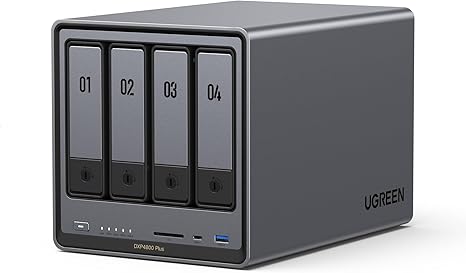
The UGREEN 25371 NASync DXP4800 4-Bay Desktop NAS (Rs. 231,616) is a good example of what a mid-to-high-end NAS brings to the table: an Intel Pentium Gold 8505 5-Core processor, 8GB of DDR5 RAM, and 128GB of SSD cache to speed up frequent file access, all backed by up to 80TB of total storage capacity across four drives (sold separately). It also includes a 10GbE network port alongside a 2.5GbE port, which matters if you want transfer speeds that a typical cloud connection simply can’t match on a local network.
Speed Is a Real Advantage, Not Just a Number
Uploading and downloading large files to and from a cloud service is limited by your internet connection, in both directions. Moving the same files to and from a NAS over your local network, especially one with a 10GbE port like the DXP4800, is typically far faster, since you’re not bottlenecked by upload speeds that are often much slower than download speeds on most home and office internet plans.
You Don’t Have to Go All-In Immediately
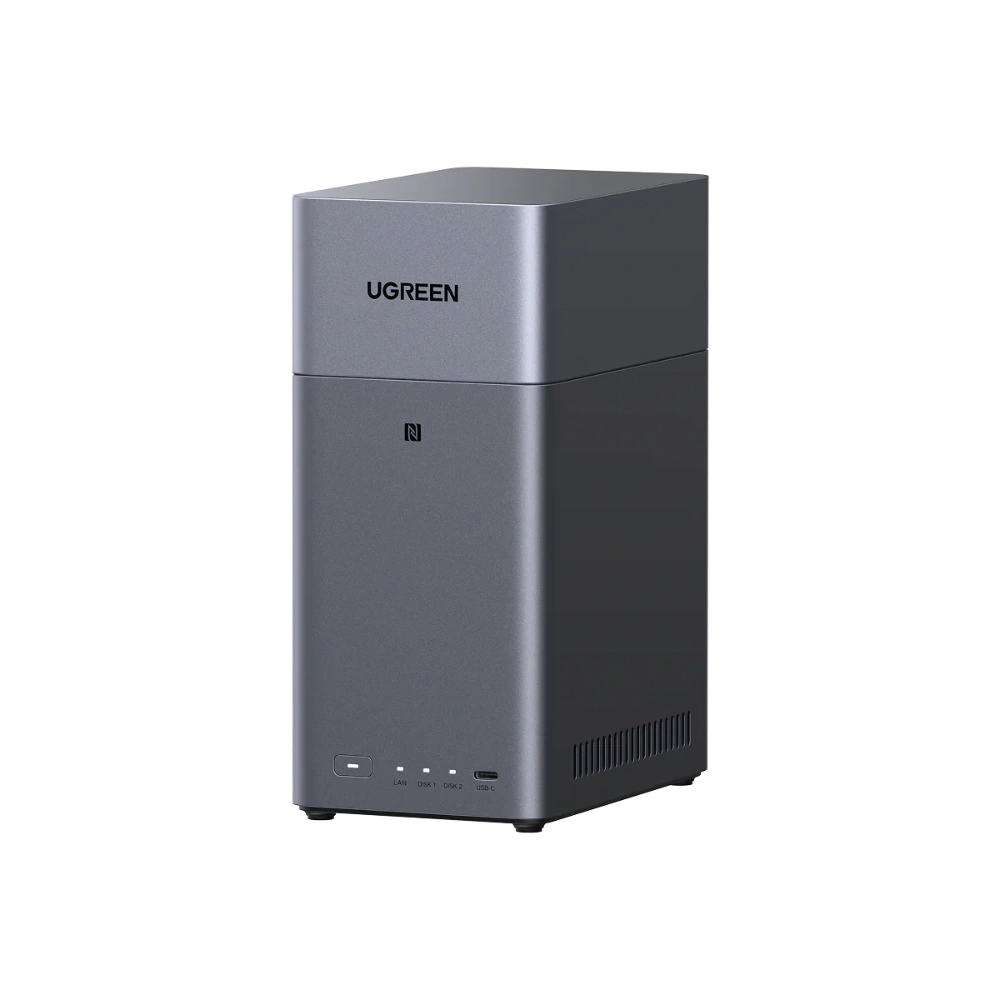
If the cost of a higher-end unit like the DXP4800 feels like a big first step, a more affordable entry point like the UGREEN NASync DH2300 (Rs. 99,394) still delivers the core benefit of owning your storage outright, with up to 60TB of total capacity across its two bays, without the recurring cost structure of a cloud plan.
Where Cloud Storage Still Has a Role
None of this means cloud storage is useless. It’s genuinely useful as an off-site copy of your most critical files, in case something happens to your physical location. But relying on it as your only storage, month after month, is where the costs and risks quietly stack up. Many NAS owners end up using a small amount of cloud storage alongside their NAS, rather than instead of it.
Frequently Asked Questions
Is a NAS really cheaper than cloud storage in the long run?
For anyone storing a meaningful amount of data over several years, yes — a NAS is a one-time hardware cost, whereas cloud storage plans are ongoing subscriptions that never stop as long as you need the space.
What makes the DXP4800’s 10GbE port useful compared to cloud storage speeds?
A 10GbE connection allows much faster file transfers over your local network than most home or office internet connections can achieve when uploading to or downloading from a cloud service.
Do I need a high-end NAS like the DXP4800 to move away from cloud storage?
No, a more affordable option like the UGREEN NASync DH2300 at Rs. 99,394 still gives you owned, local storage up to 60TB, without needing the higher processing power of the DXP4800.
Should I get rid of cloud storage completely once I have a NAS?
Not necessarily. Many people keep a small cloud storage plan as an off-site backup for their most critical files, while relying on their NAS as the primary, larger storage pool.
Leave a Reply